Splunk Use Case to Detect Windows Log Tampering
Overview
Windows Event Logs are among the most valuable forensic artifacts available to security teams during incident investigations. Threat actors often attempt to clear or tamper with Windows Event Logs after compromising a system to erase evidence of their activities and evade detection.
In this lab, a Splunk use case is created to detect Windows Event Log tampering by monitoring critical Windows Event IDs associated with log clearing. A real-time alert is configured in Splunk Enterprise and validated by clearing a Windows Event Log on the target Windows Server.
Lab Environment
| Machine | Role |
|---|---|
| Ubuntu | Attacker Machine |
| Windows Server 2022 | Target / Log Source |
| Splunk Enterprise | Security Information and Event Management (SIEM) |
Objective
- Connect to the Windows Server from Ubuntu using SSH.
- Create a Splunk search to monitor Windows Event Log tampering.
- Configure a real-time Splunk alert.
- Simulate Windows Event Log tampering.
- Verify that Splunk successfully detects and alerts on the activity.
Detection Logic
The use case monitors the following Windows Event IDs:
| Event ID | Description |
|---|---|
| 104 | Windows Event Log was cleared |
| 1100 | Windows Event Logging Service shut down |
| 1102 | Security Audit Log was cleared |
Monitoring these events helps detect attempts by attackers to remove evidence from compromised systems.
Step 1 — Connect to the Windows Server
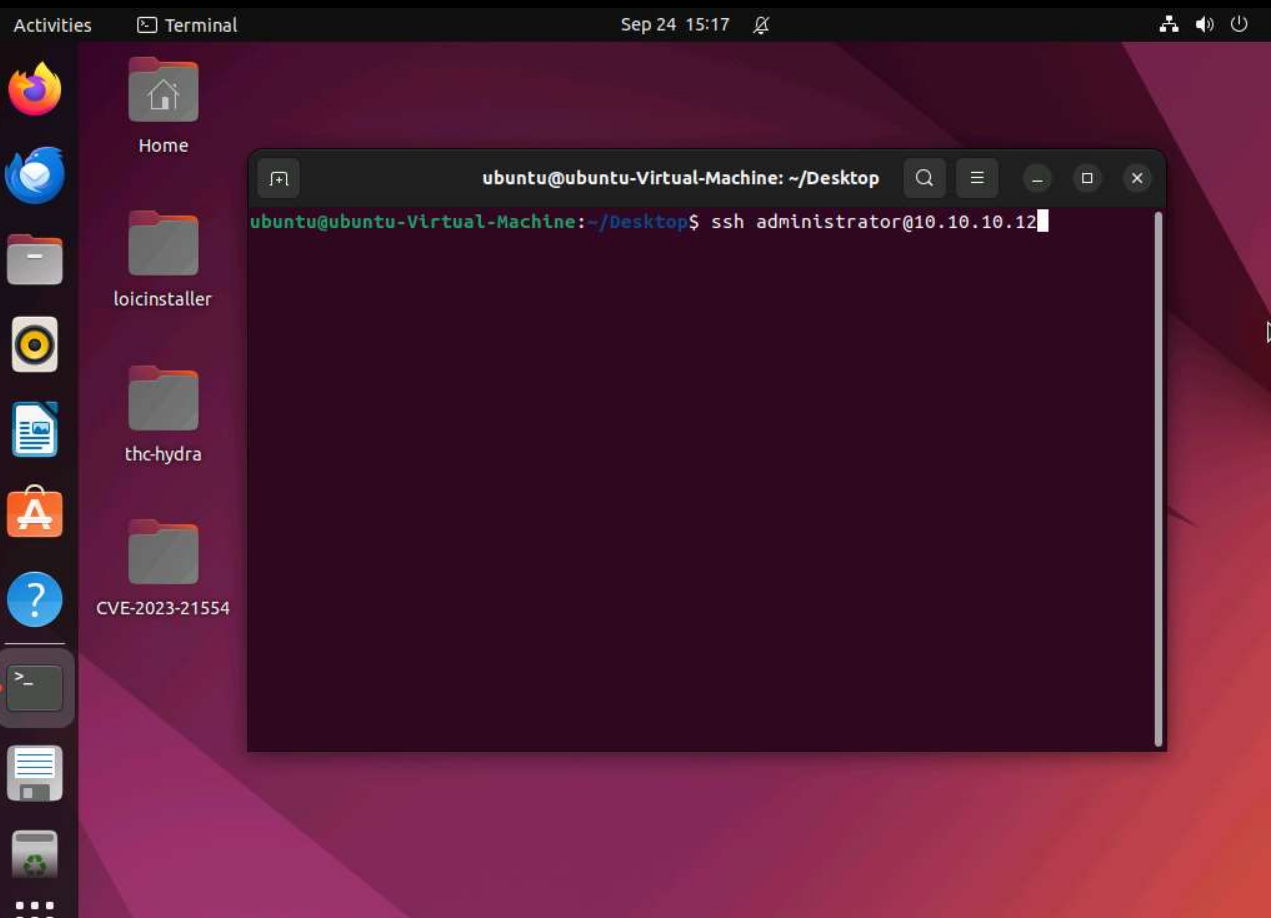
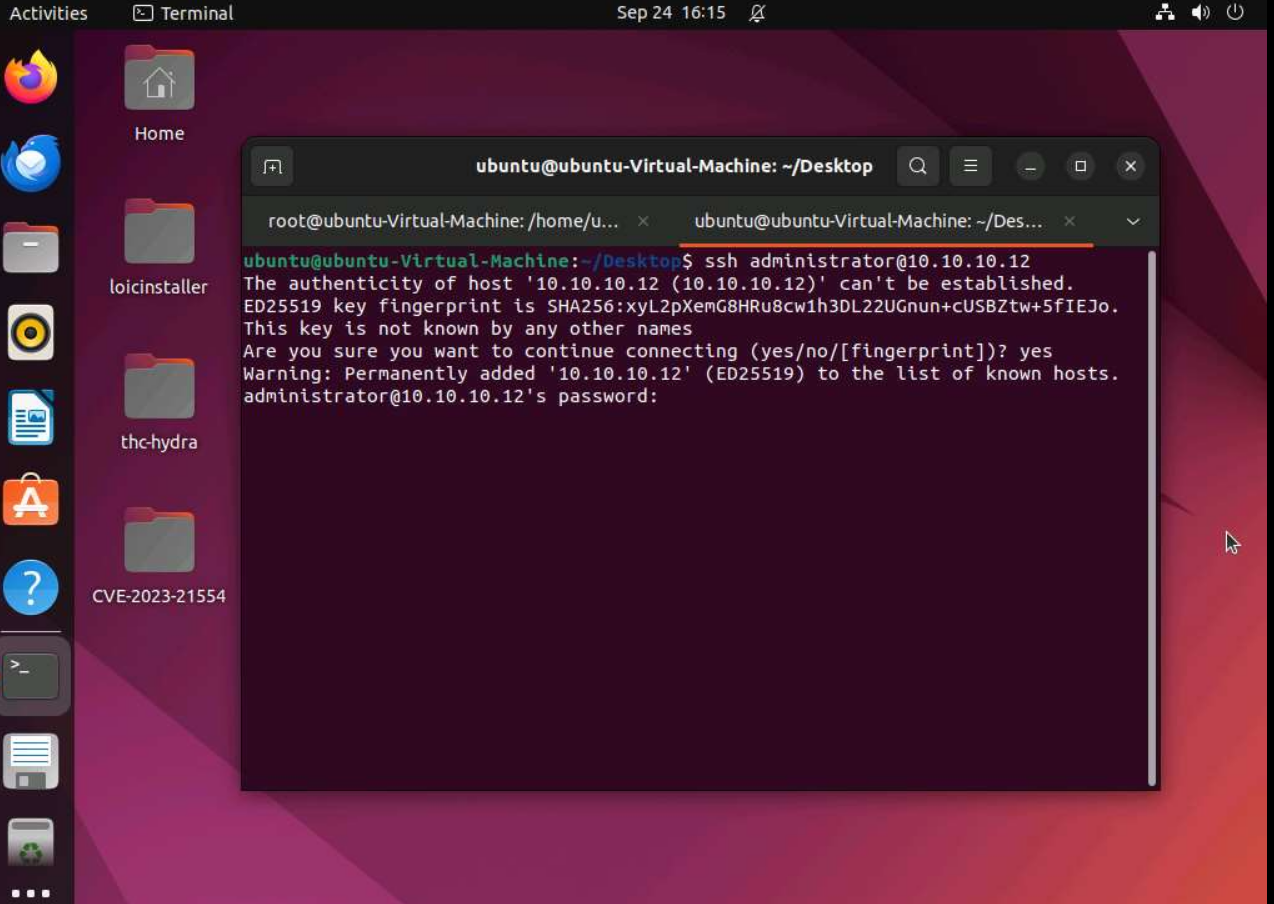
From the Ubuntu attacker machine, connect to the Windows Server using SSH.
ssh administrator@10.10.10.12
Accept the SSH fingerprint when prompted and enter the Administrator password.
Step 2 — Open Splunk Enterprise
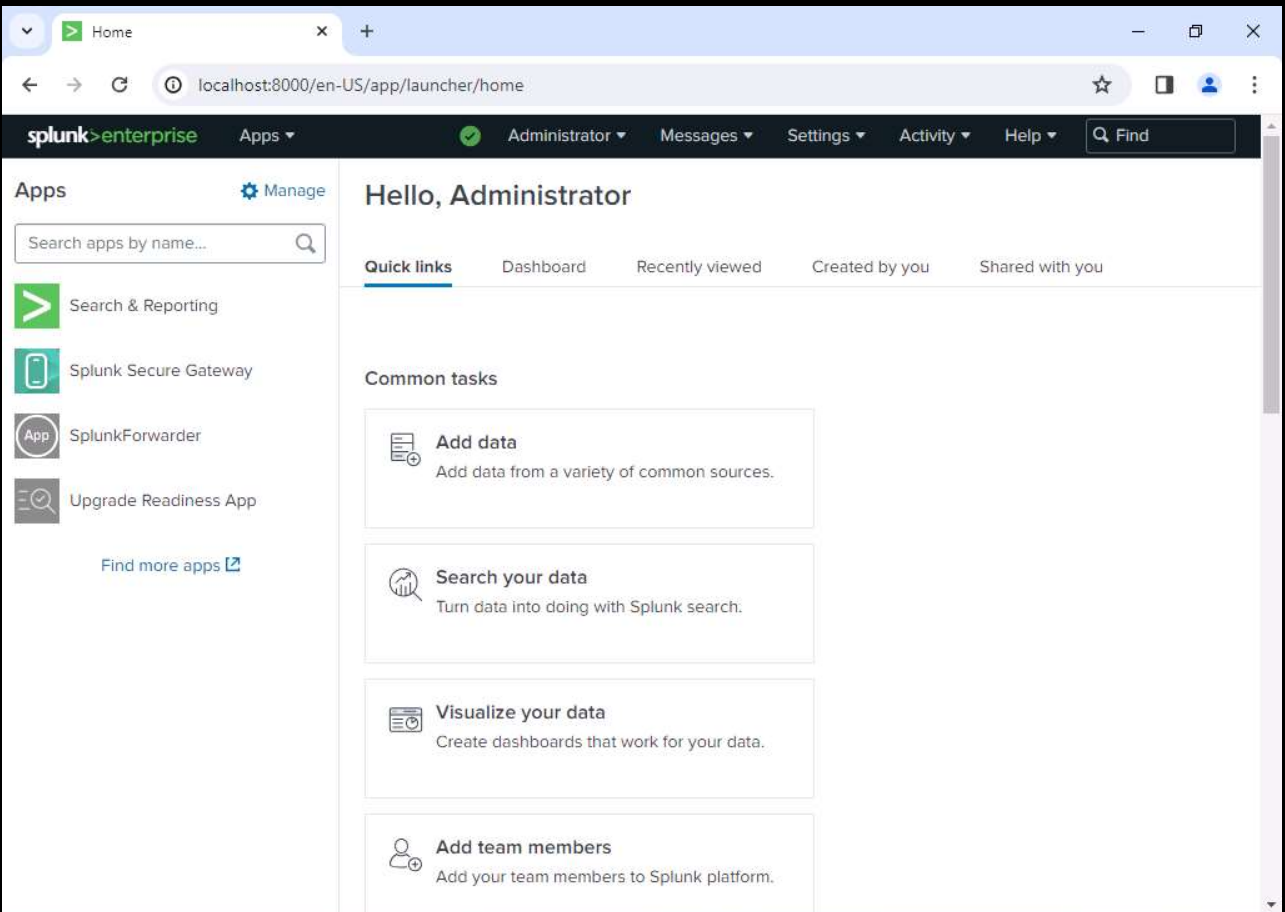
Log in to Splunk Enterprise.
Navigate to:
Apps → Search & Reporting
Step 3 — Create the Detection Query
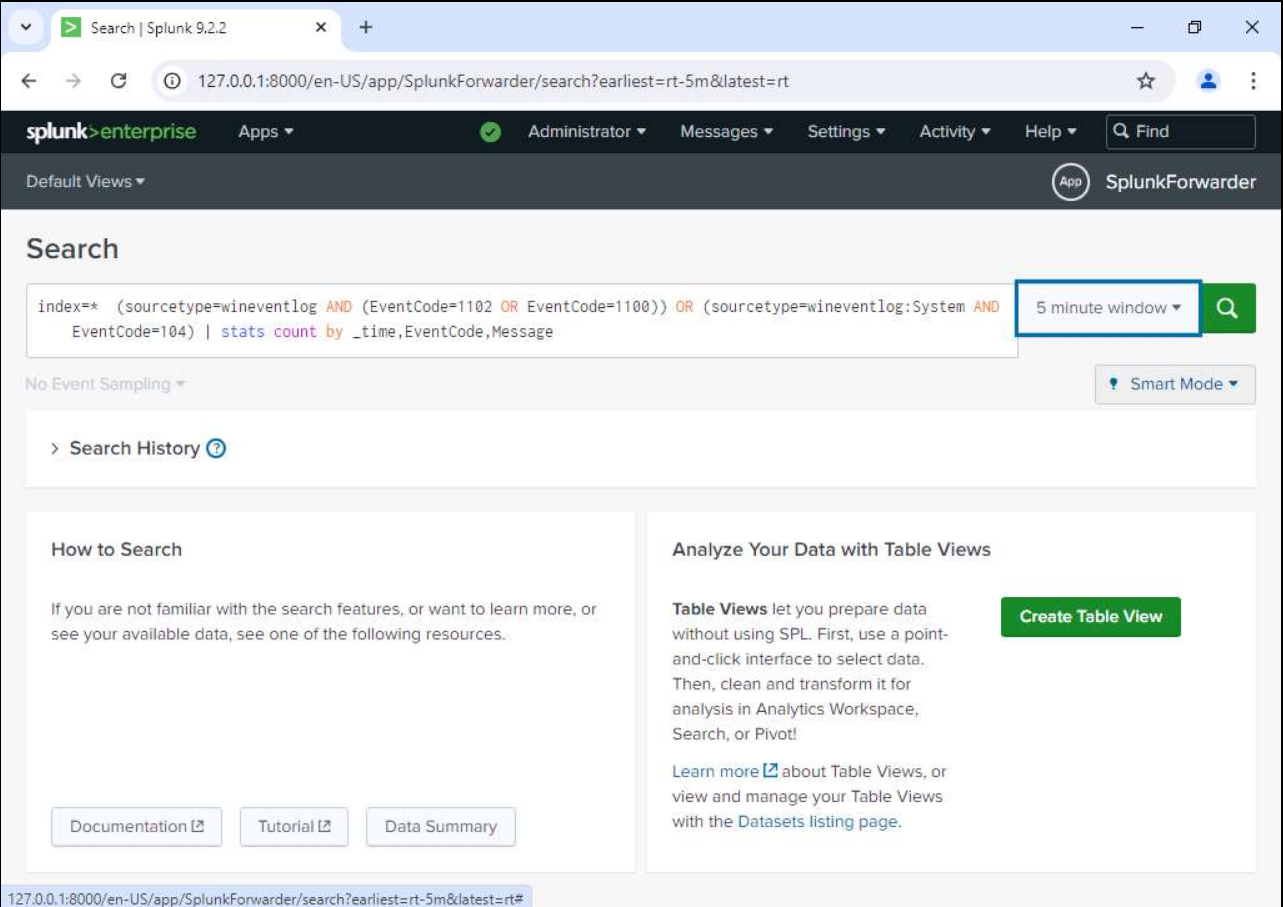
Execute the following SPL query.
index=* (
(sourcetype=wineventlog AND (EventCode=1102 OR EventCode=1100))
OR
(sourcetype=wineventlog:System AND EventCode=104)
)
| stats count by _time, EventCode, Message
This query monitors Windows Event Logs for log tampering activities.
Step 4 — Save the Search as a Real-Time Alert
After validating the search results:
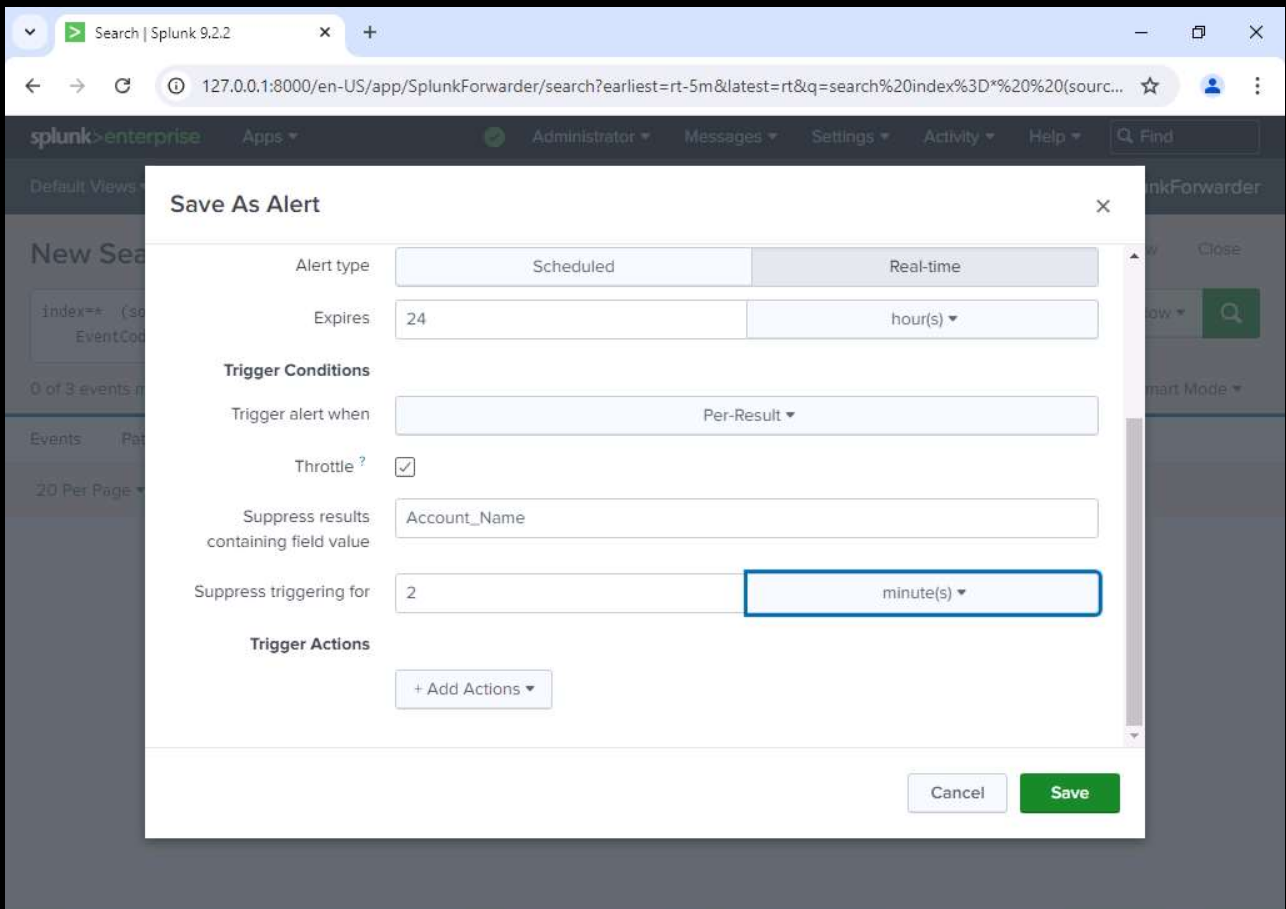
- Click Save As
- Select Alert
- Configure the alert as Real-time
- Trigger alert Per Result
- Save the alert
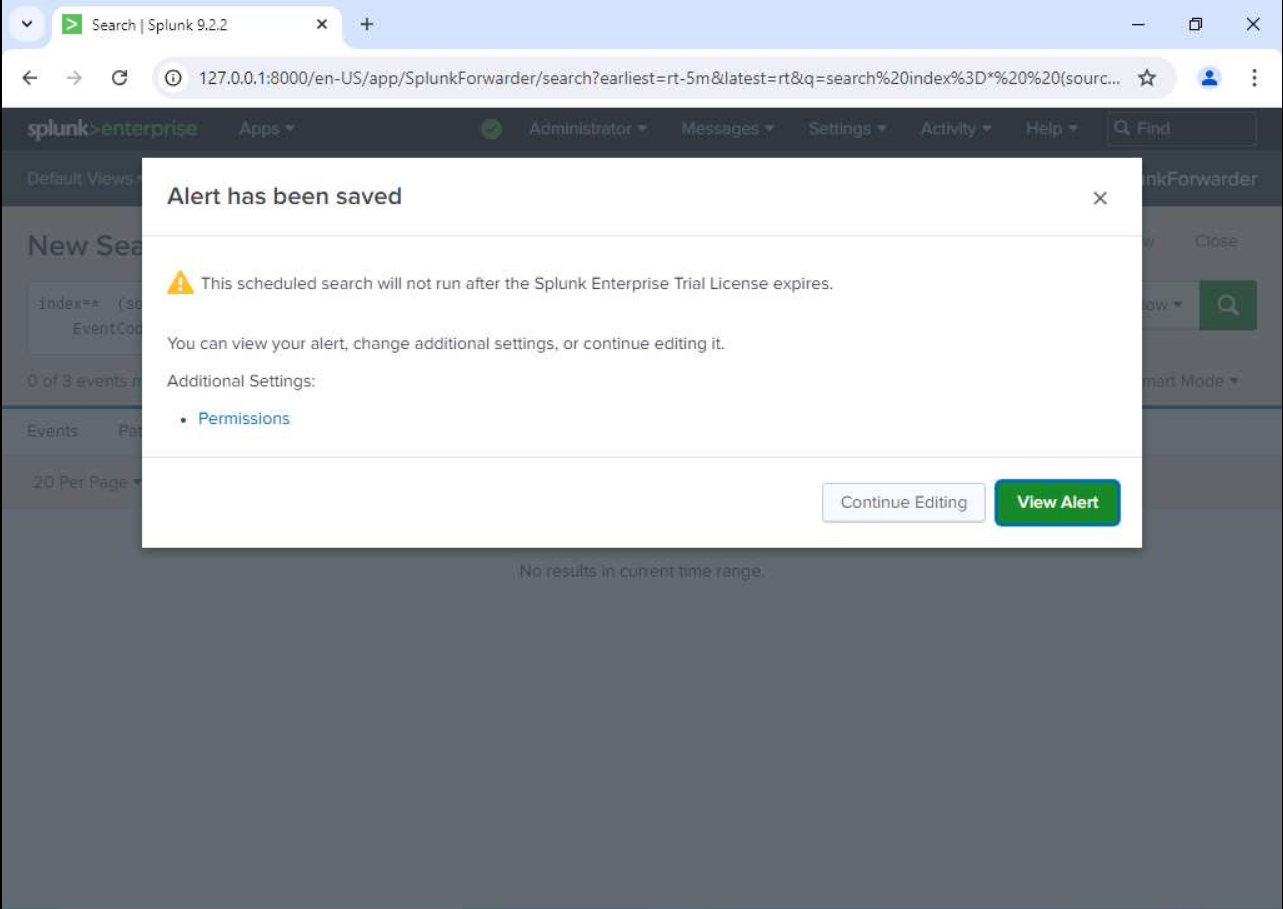
Once the alert is saved successfully, Splunk confirms its creation.
Step 5 — Enumerate Windows Event Logs
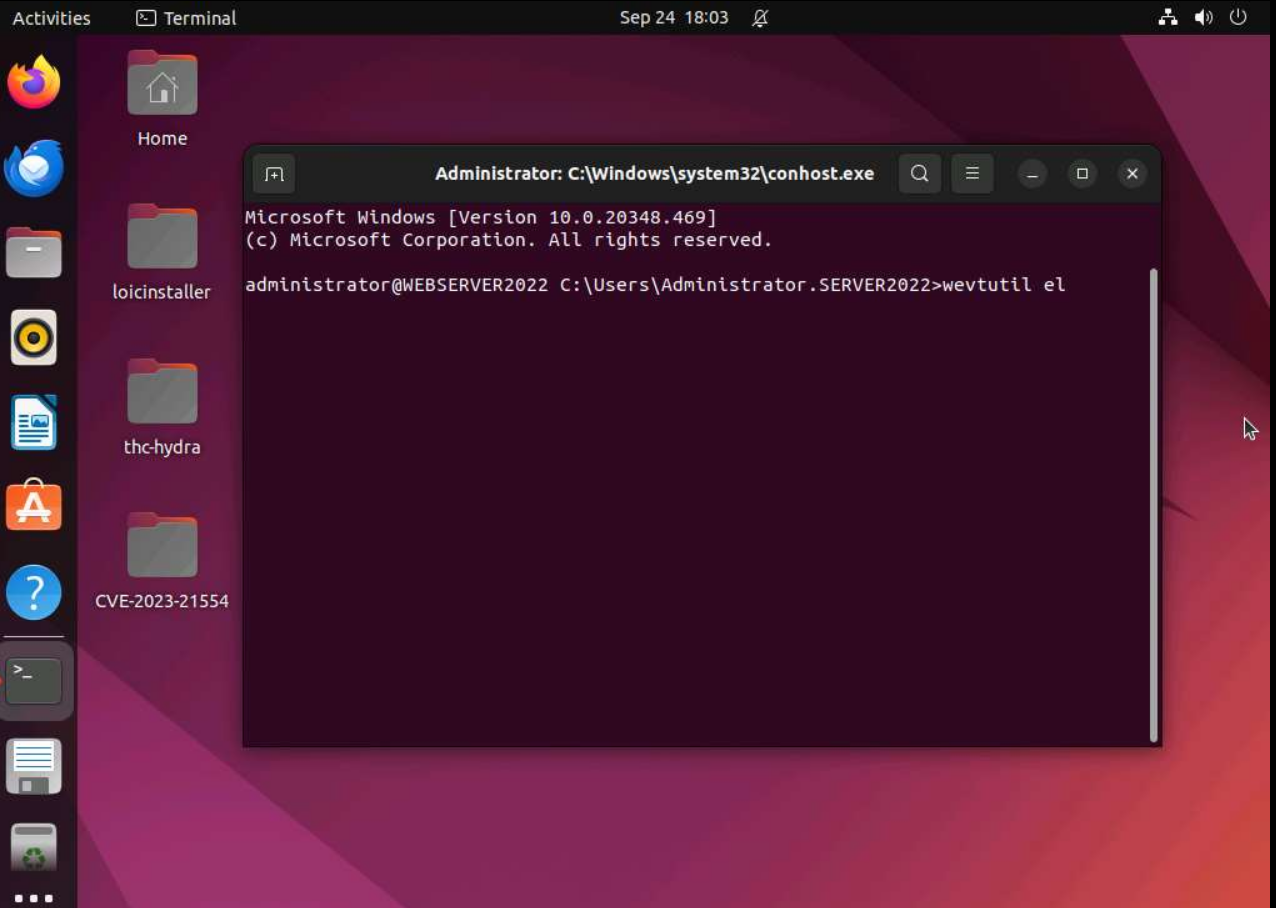
Return to the Windows Server terminal.
List all available Windows Event Logs.
wevtutil el
This command displays every Windows Event Log available on the system.
Step 6 — Simulate Windows Event Log Tampering
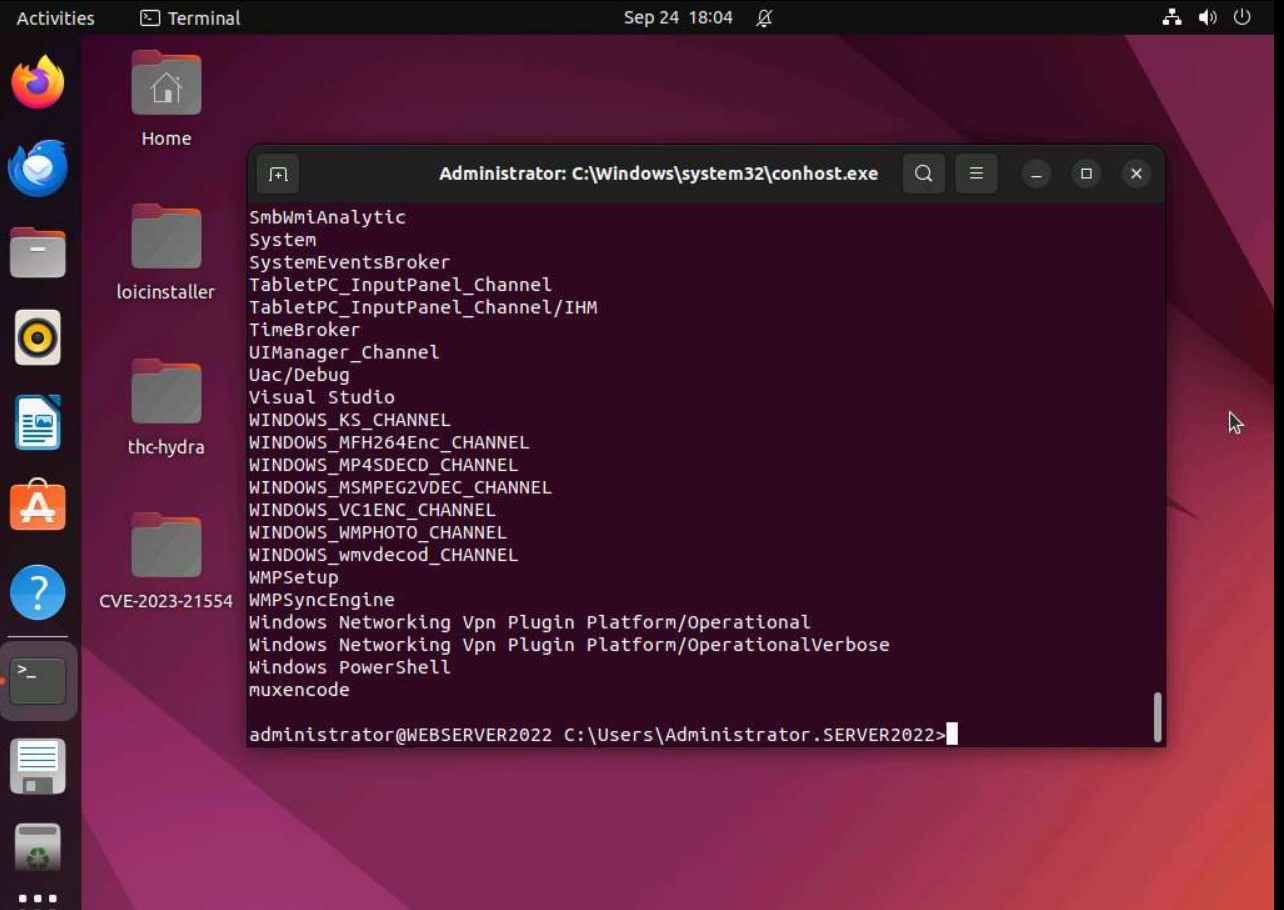
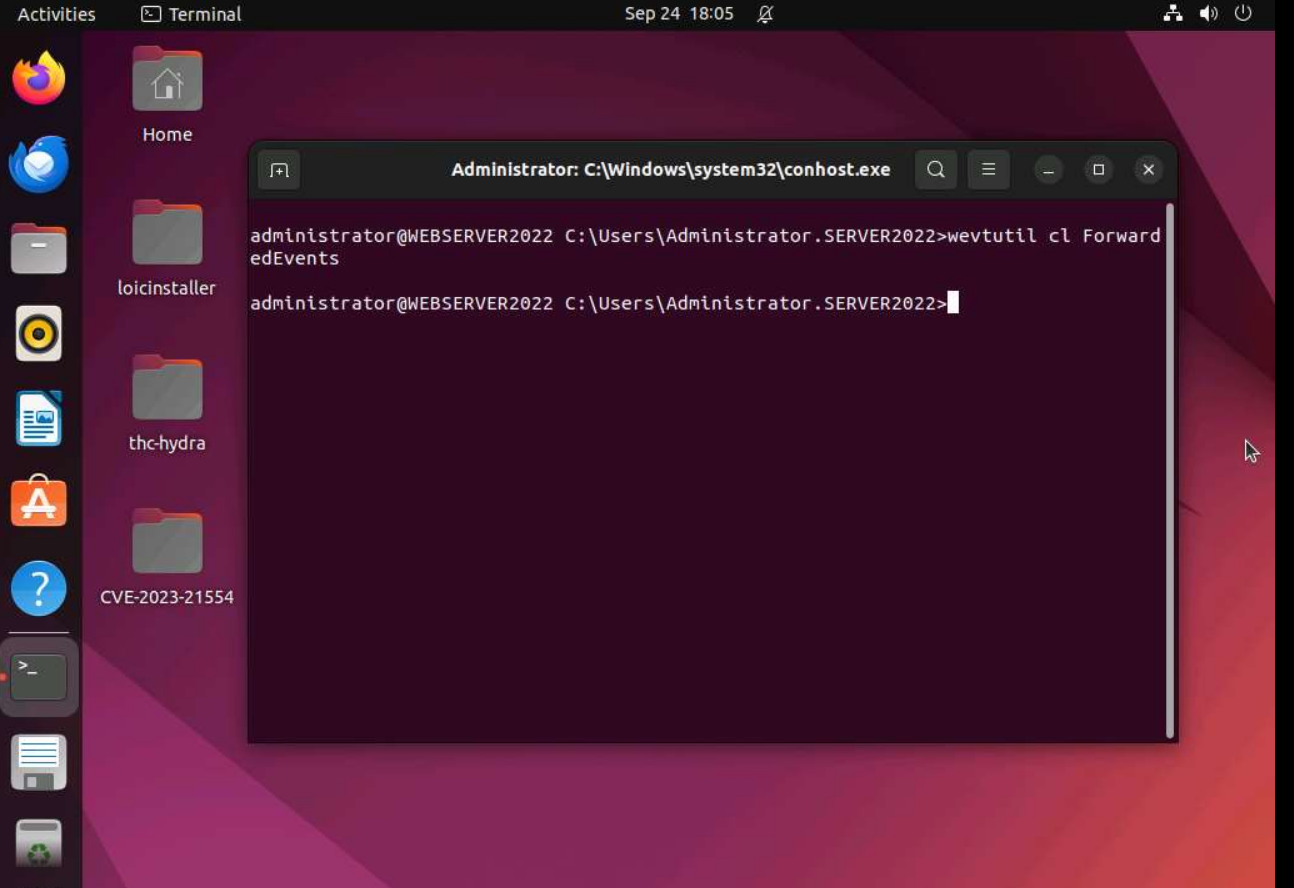
Clear the ForwardedEvents Event Log.
wevtutil cl ForwardedEvents
The command executes successfully without producing output.
Step 7 — Verify the Alert
Return to Splunk Enterprise.
Navigate to:
Activity → Triggered Alerts
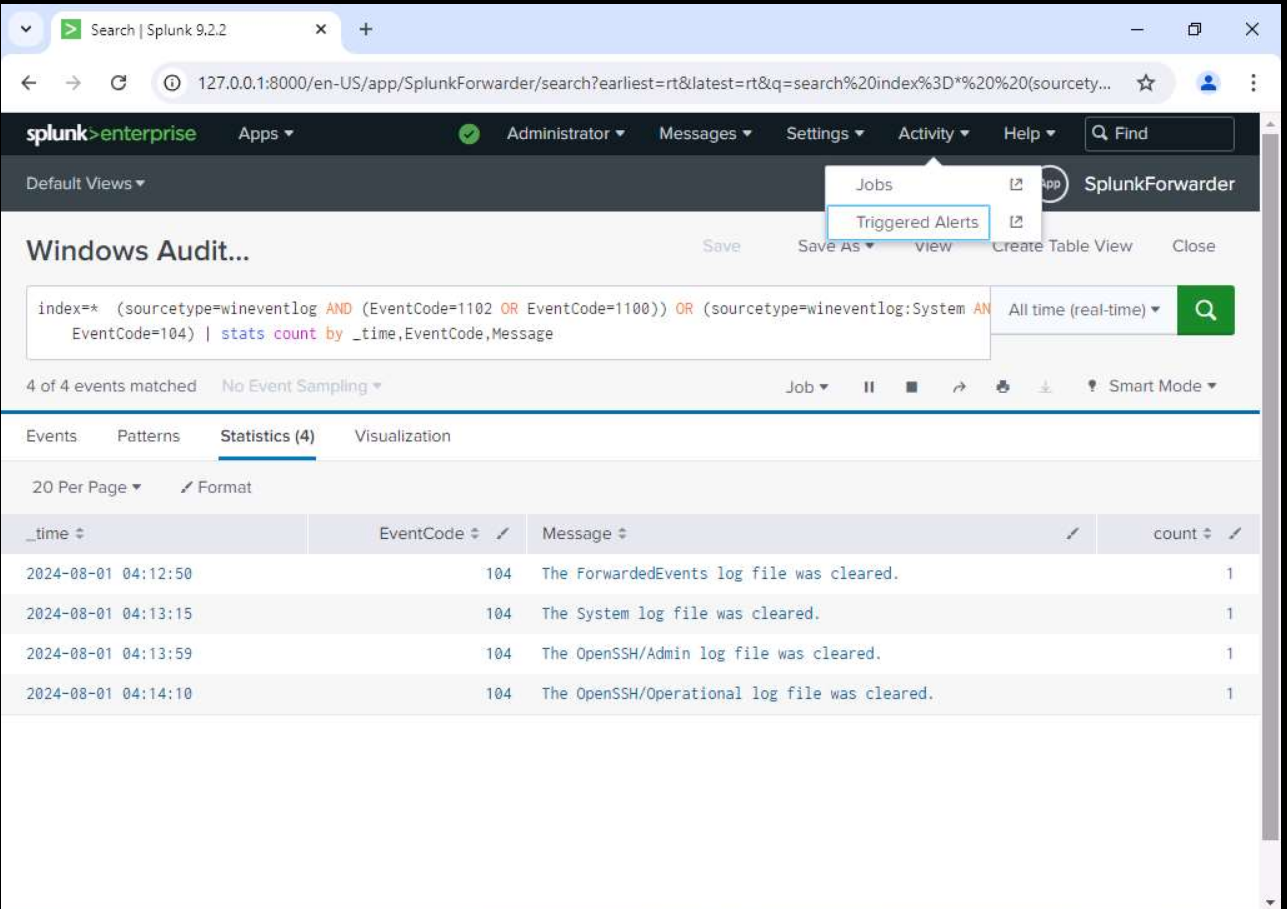
The previously created real-time alert should now be triggered.
Step 8 — Investigate the Detection
Open the triggered alert.
Splunk successfully detects that the ForwardedEvents log has been cleared.
The alert provides:
- Event Time
- Event ID
- Event Message
- Event Count
Detection Summary
| Property | Value |
|---|---|
| SIEM Platform | Splunk Enterprise |
| Detection Type | Real-Time Alert |
| Data Source | Windows Event Logs |
| Event IDs | 104, 1100, 1102 |
| Attack Simulation | Windows Event Log Tampering |
| Detection Status | Successful |
MITRE ATT&CK Mapping
| Tactic | Technique | ID |
|---|---|---|
| Defense Evasion | Indicator Removal on Host | T1070 |
| Defense Evasion | Clear Windows Event Logs | T1070.001 |
Key Takeaways
- Windows Event Logs are essential for forensic investigations and incident response.
- Attackers often clear logs to hide evidence after compromising a system.
- Monitoring Event IDs 104, 1100, and 1102 provides visibility into log tampering attempts.
- Splunk real-time alerts enable SOC analysts to detect defense evasion activities immediately.
- Continuous monitoring of Windows Event Logs significantly strengthens an organization's detection and response capabilities.
Conclusion
In this lab, a Splunk use case was developed to detect Windows Event Log tampering using a real-time alert. The detection monitored Windows Event IDs associated with log clearing and successfully identified the simulated attack when the ForwardedEvents log was cleared using the wevtutil utility. This use case demonstrates how Splunk can effectively detect defense evasion techniques and provide timely alerts that support rapid incident response and forensic investigations.