Splunk Use Case – Detecting Brute-Force Attacks
Overview
This lab demonstrates how to create a Splunk detection use case for identifying potential brute-force login attacks using Windows Security Event Logs. A search query was created to detect repeated failed login attempts followed by a successful authentication within a short time window. The query was then converted into a real-time alert to notify analysts immediately.
Objective
- Detect repeated failed authentication attempts.
- Identify successful logins occurring after multiple failures.
- Configure a real-time alert in Splunk.
- Reduce duplicate alerts using throttling.
Lab Environment
- SIEM: Splunk Enterprise
- Log Source: Windows Security Logs
- Relevant Event IDs:
- 4624 – Successful Logon
- 4625 – Failed Logon
Detection Logic
The detection monitors Windows authentication events and looks for:
- Five or more login attempts
- At least two failed logins
- One or more successful logins
- Activity occurring within a 5-minute window
This behavior may indicate a brute-force attack where an attacker eventually guesses the correct password.
SPL Query
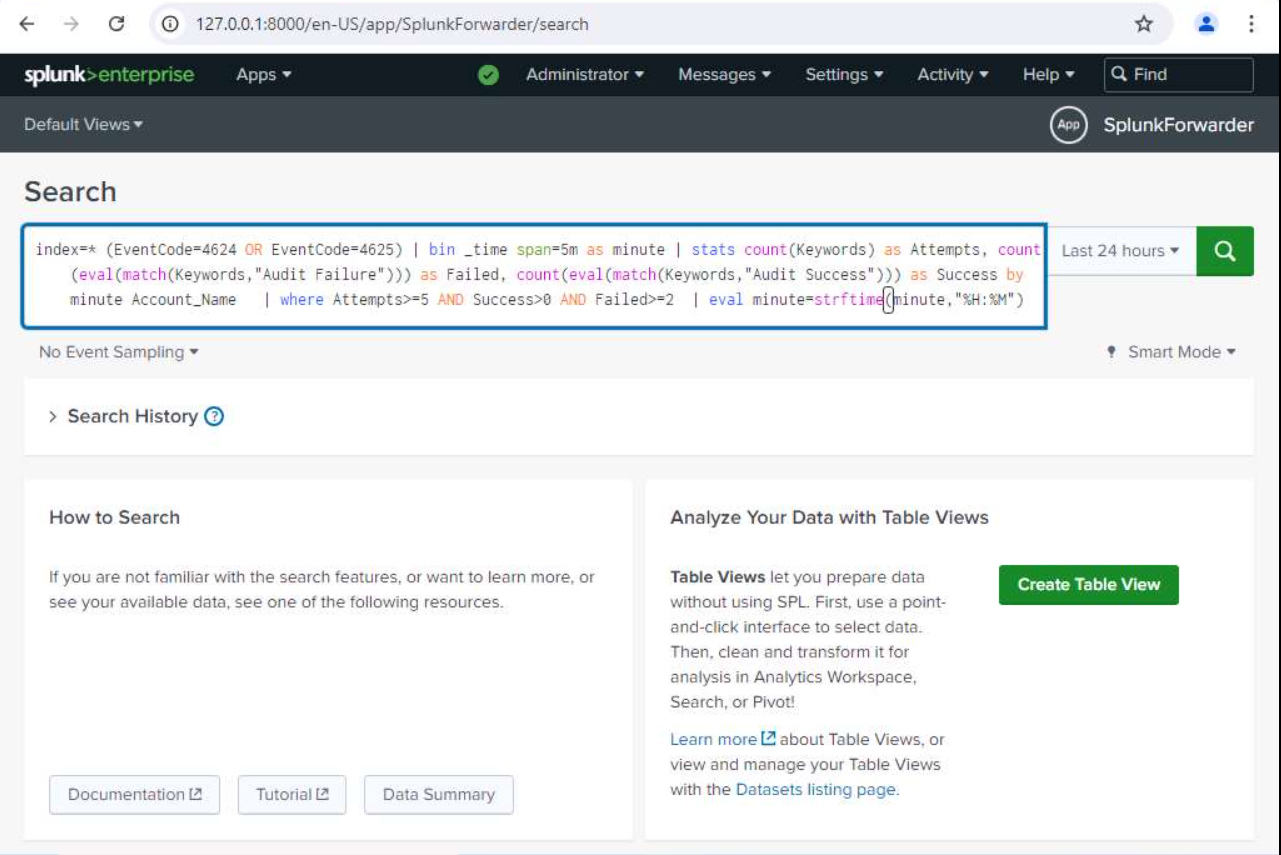
index=* (EventCode=4624 OR EventCode=4625)
| bin _time span=5m as minute
| stats count(Keywords) as Attempts,
        count(eval(match(Keywords,"Audit Failure"))) as Failed,
        count(eval(match(Keywords,"Audit Success"))) as Success
        by minute Account_Name
| where Attempts>=5 AND Success>0 AND Failed>=2
| eval minute=strftime(minute,"%H:%M")
The following screenshot shows the SPL query used to detect brute-force activity.
Creating the Alert
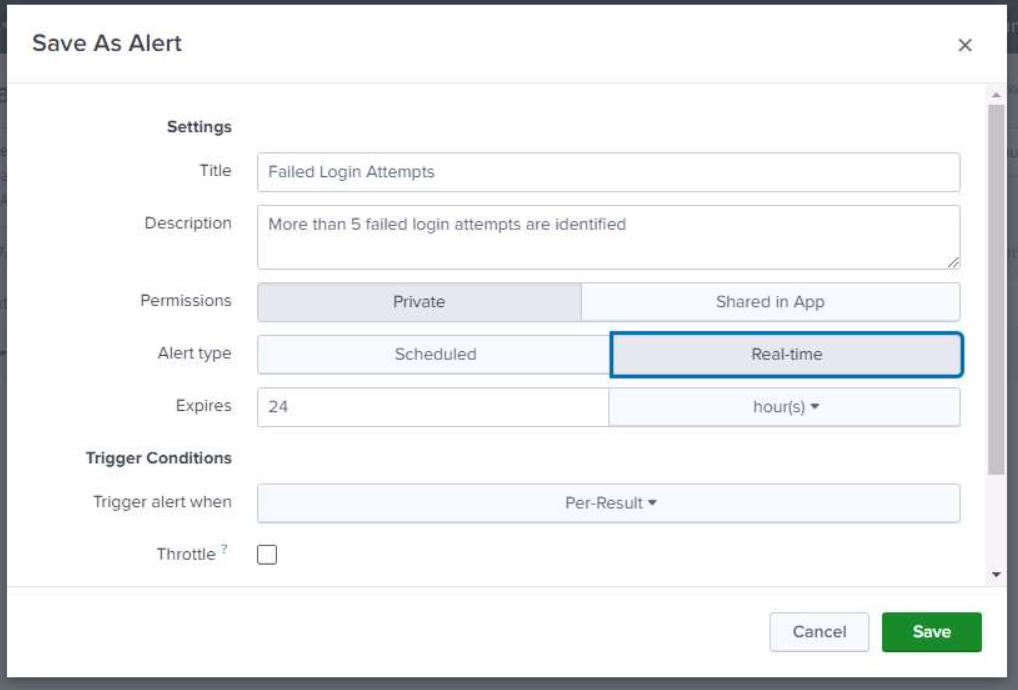
After validating the search results, the query was saved as a Real-time Alert.
Configuration:
- Alert Name: Failed Login Attempts
- Alert Type: Real-time
- Trigger: Per Result
- Expiration: 24 Hours
Alert Throttling
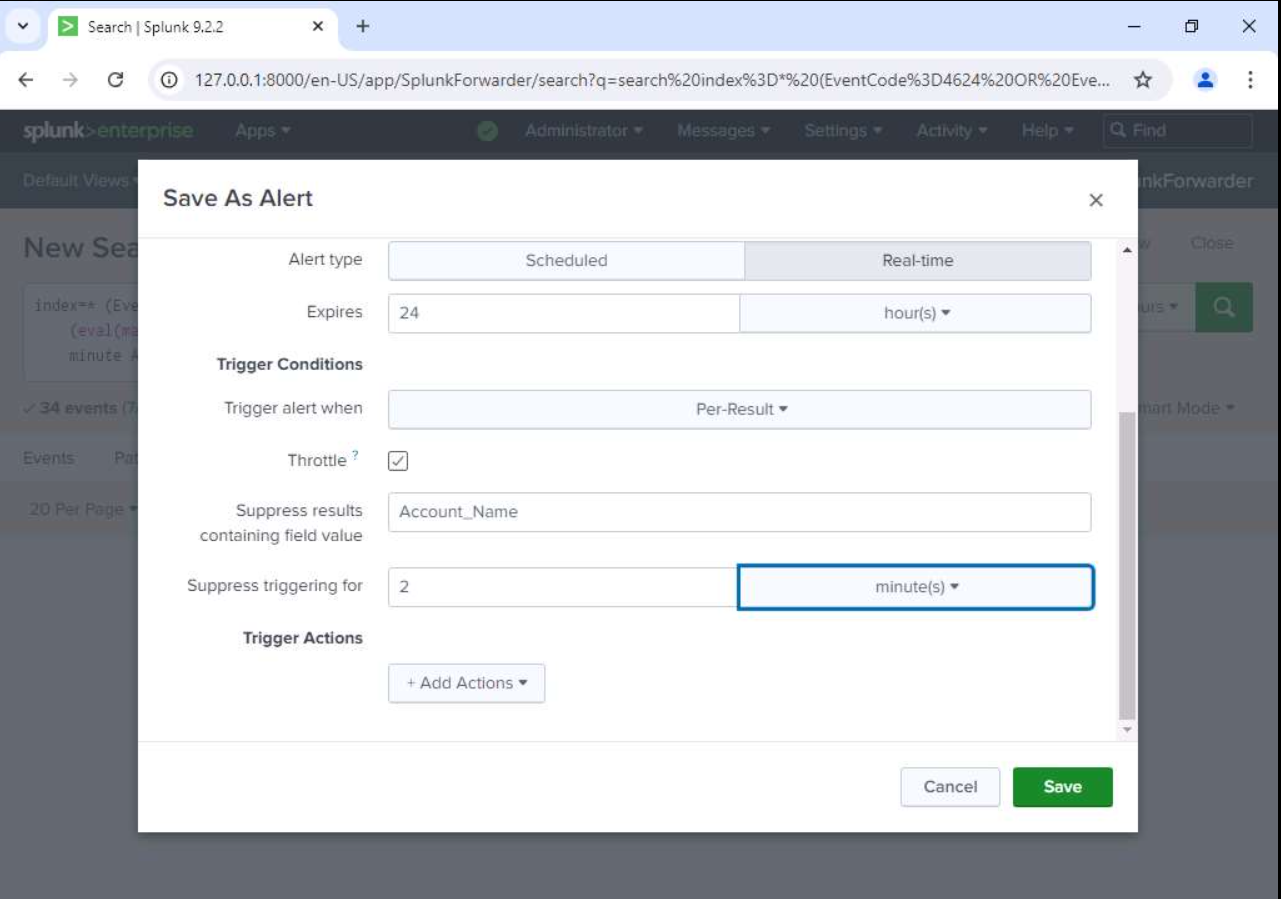
To prevent duplicate notifications for the same account, throttling was enabled.
Configuration:
- Suppress Field: Account_Name
- Suppress Duration: 2 Minutes
Triggered Alert
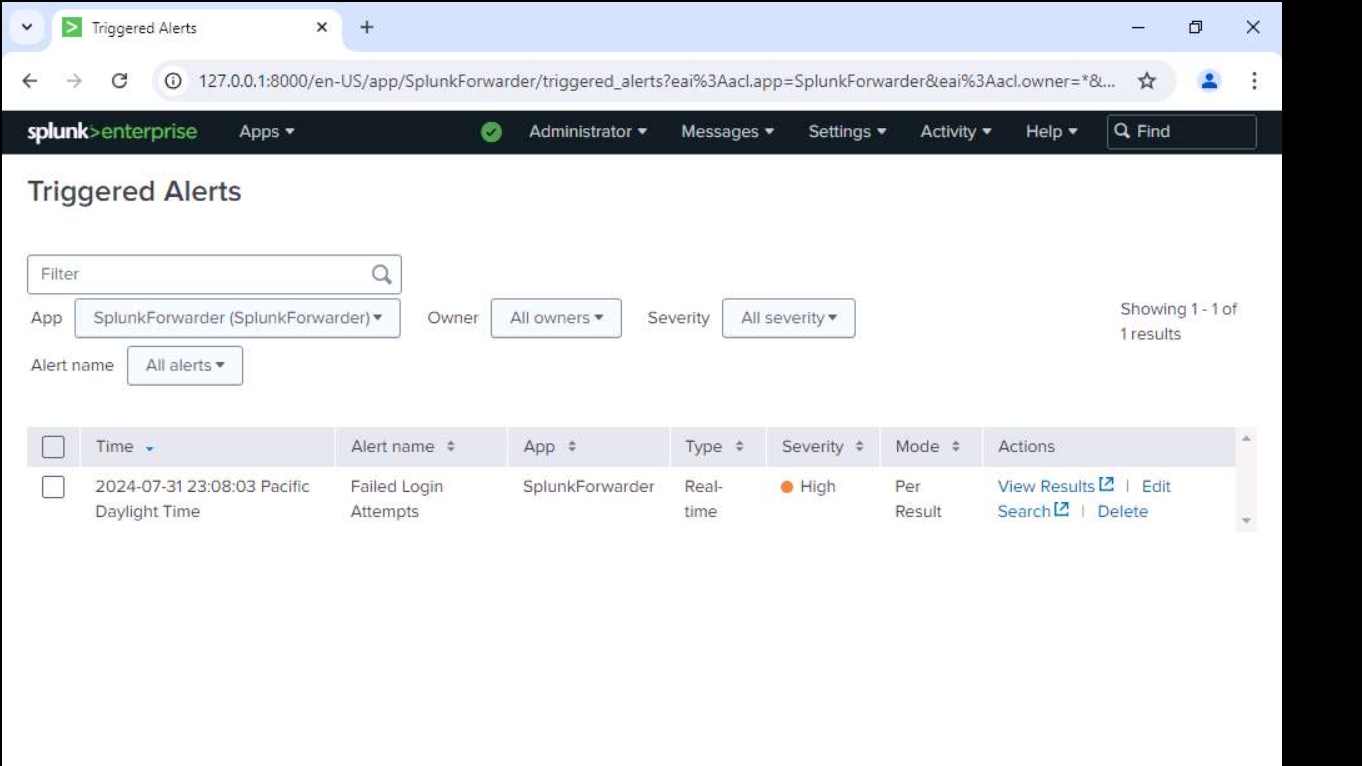
After generating authentication events matching the detection logic, Splunk successfully created a high-severity alert.
Detection Workflow
- Collect Windows Security Logs.
- Search for Event IDs 4624 and 4625.
- Group events into 5-minute intervals.
- Count successful and failed logins.
- Detect suspicious authentication patterns.
- Trigger a real-time alert.
- Reduce duplicate notifications using throttling.
Skills Demonstrated
- Splunk Search Processing Language (SPL)
- Windows Event Log Analysis
- SIEM Detection Engineering
- Alert Configuration
- Alert Throttling
- Authentication Monitoring
- Brute-Force Detection
- SOC Analyst Workflow
Key Takeaways
This lab demonstrates how SIEM platforms such as Splunk can detect suspicious authentication behavior by correlating Windows Security Events. Creating practical detection rules and configuring real-time alerts helps SOC analysts identify brute-force attacks quickly while minimizing alert fatigue through throttling.