Splunk Use Case – Detecting Ransomware Attacks
Overview
This lab demonstrates how to create a Splunk detection use case for identifying potential ransomware attacks using Windows Security Event Logs. A custom SPL (Search Processing Language) query was developed to detect privileged object access and suspicious process execution events commonly associated with ransomware activity. The search was then converted into a real-time alert to notify Security Operations Center (SOC) analysts immediately whenever suspicious activity is detected.
Objective
- Develop a Splunk detection use case for ransomware attacks.
- Detect suspicious Windows Security Event IDs related to ransomware activity.
- Monitor privileged object access events.
- Configure a real-time Splunk alert.
- Validate the detection by simulating ransomware execution.
Lab Environment
| Component | Details |
|---|---|
| SIEM Platform | Splunk Enterprise 9.2.2 |
| Operating System | Windows Server 2022 |
| Log Source | Windows Security Event Logs |
| Sourcetype | WinEventLog:Security |
| Alert Type | Real-Time |
| Detection Technique | SPL Query |
Step 1 – Create the Detection Query
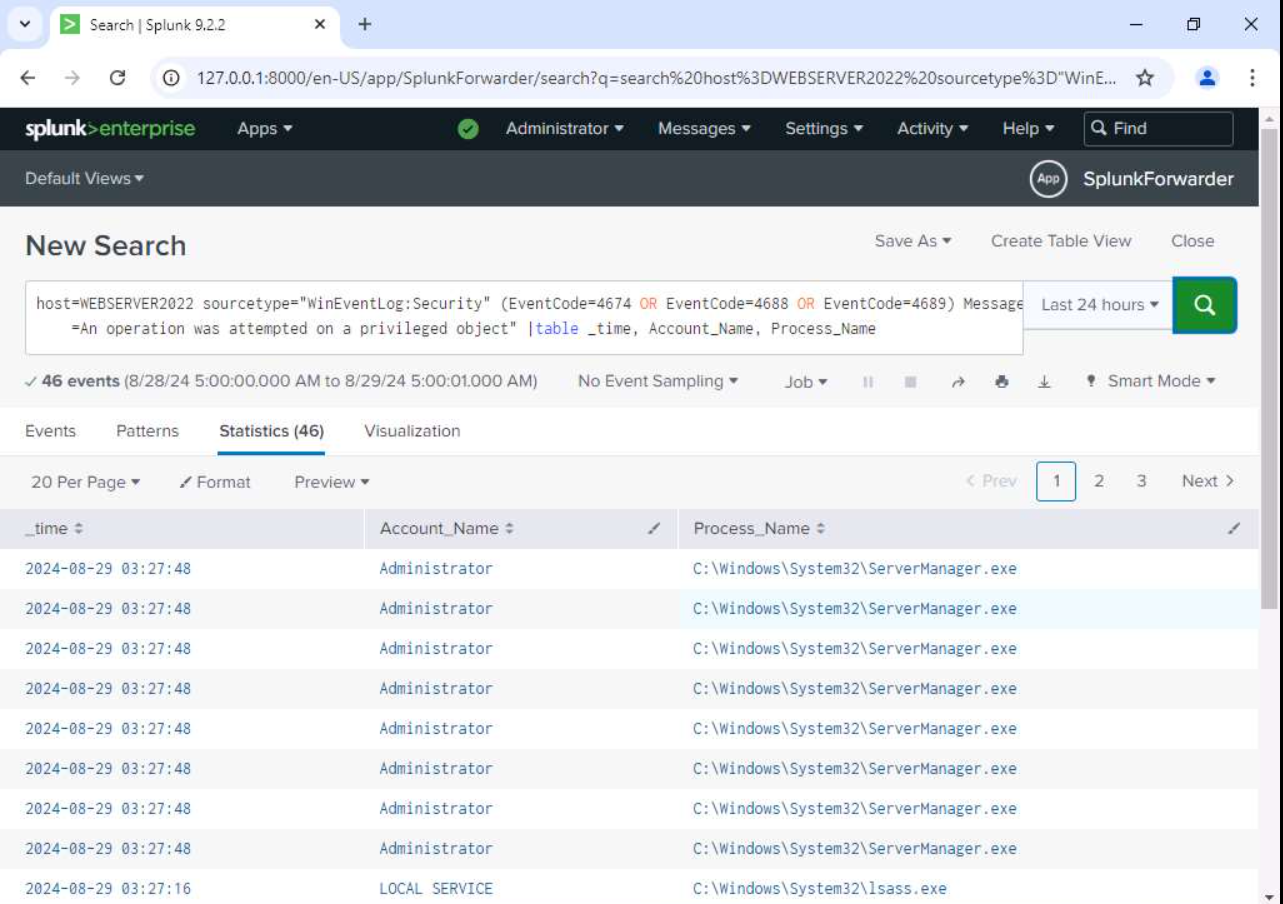
A custom SPL query was written to identify suspicious privileged object access events generated during ransomware execution.
SPL Query
host=WEBSERVER2022 sourcetype="WinEventLog:Security"
(EventCode=4674 OR EventCode=4688 OR EventCode=4689)
Message="An operation was attempted on a privileged object"
| table _time, Account_Name, Process_Name
Explanation
The search looks for the following Windows Event IDs:
| Event ID | Description |
|---|---|
| 4674 | Privileged Object Operation Attempt |
| 4688 | Process Creation |
| 4689 | Process Termination |
The query extracts:
- Event Time
- User Account
- Executed Process
Running the query returned multiple matching security events associated with privileged object access.
Step 2 – Configure a Real-Time Alert
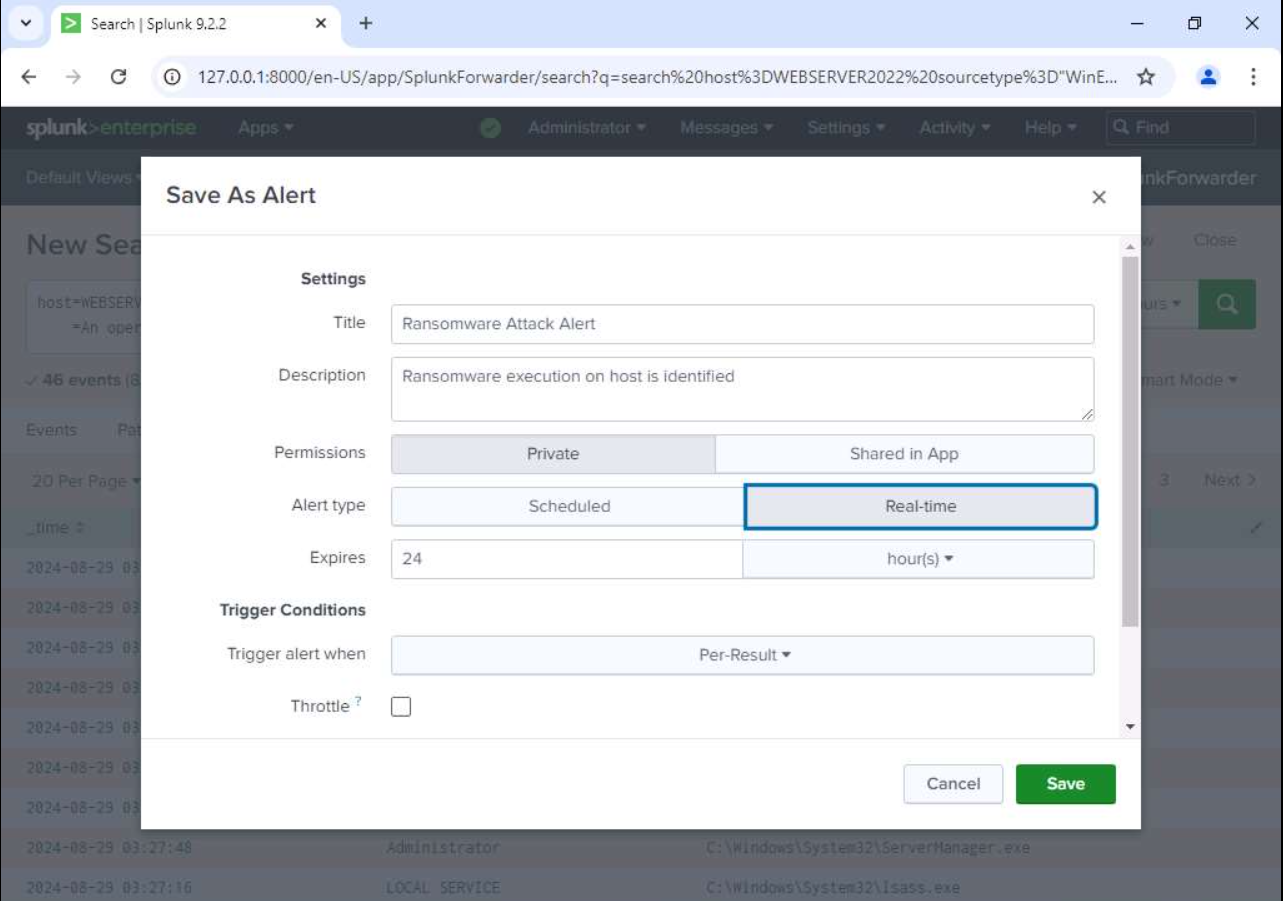
After validating the search results, the detection query was converted into a Real-Time Splunk Alert.
Alert Configuration
| Setting | Value |
|---|---|
| Alert Name | Ransomware Attack Alert |
| Description | Ransomware execution on host is identified |
| Alert Type | Real-Time |
| Trigger | Per Result |
| Permissions | Private |
The alert immediately triggers whenever the detection query finds matching ransomware-related events.
Step 3 – Validate the Detection
To verify the effectiveness of the detection rule, ransomware activity was simulated on the target system.
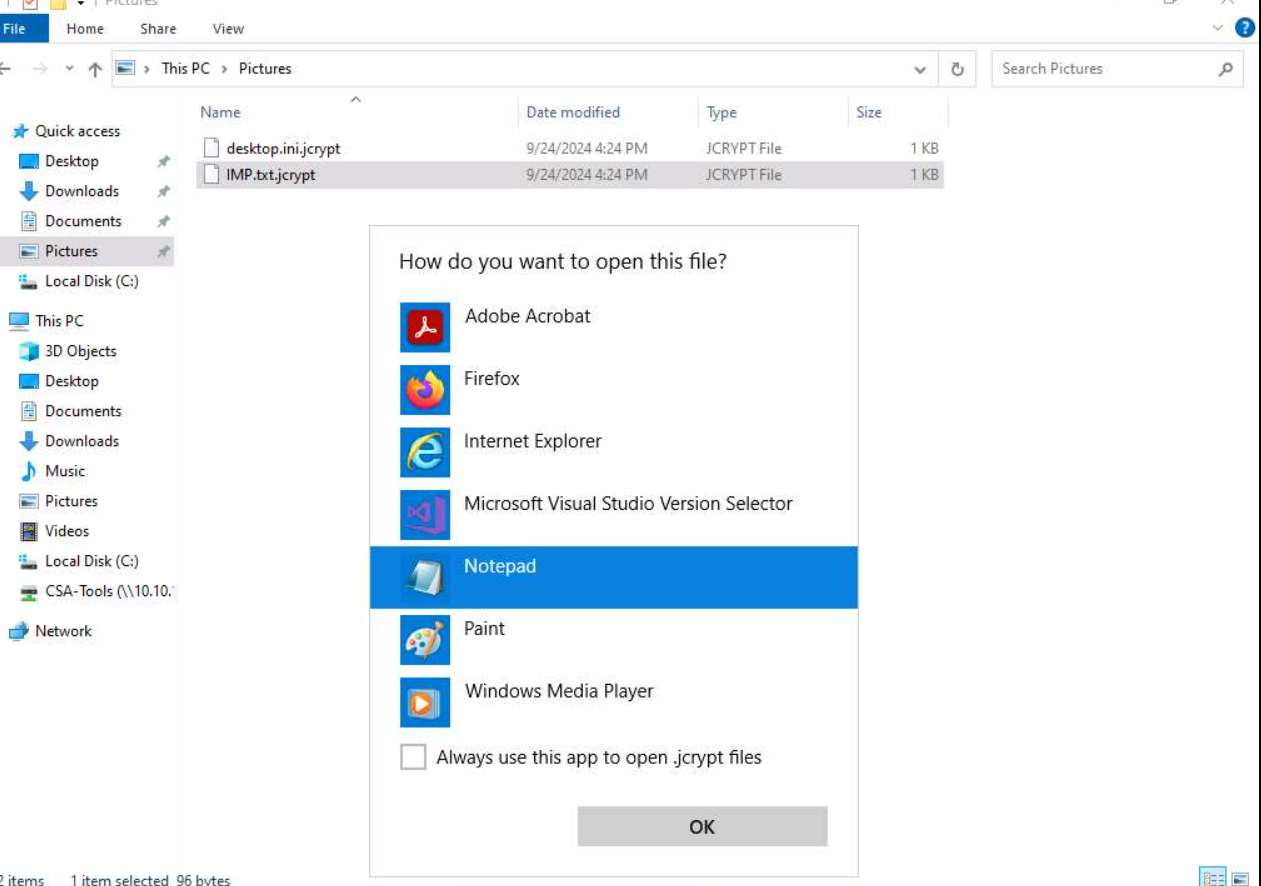
During execution, user files were encrypted and their file extensions changed to encrypted formats.
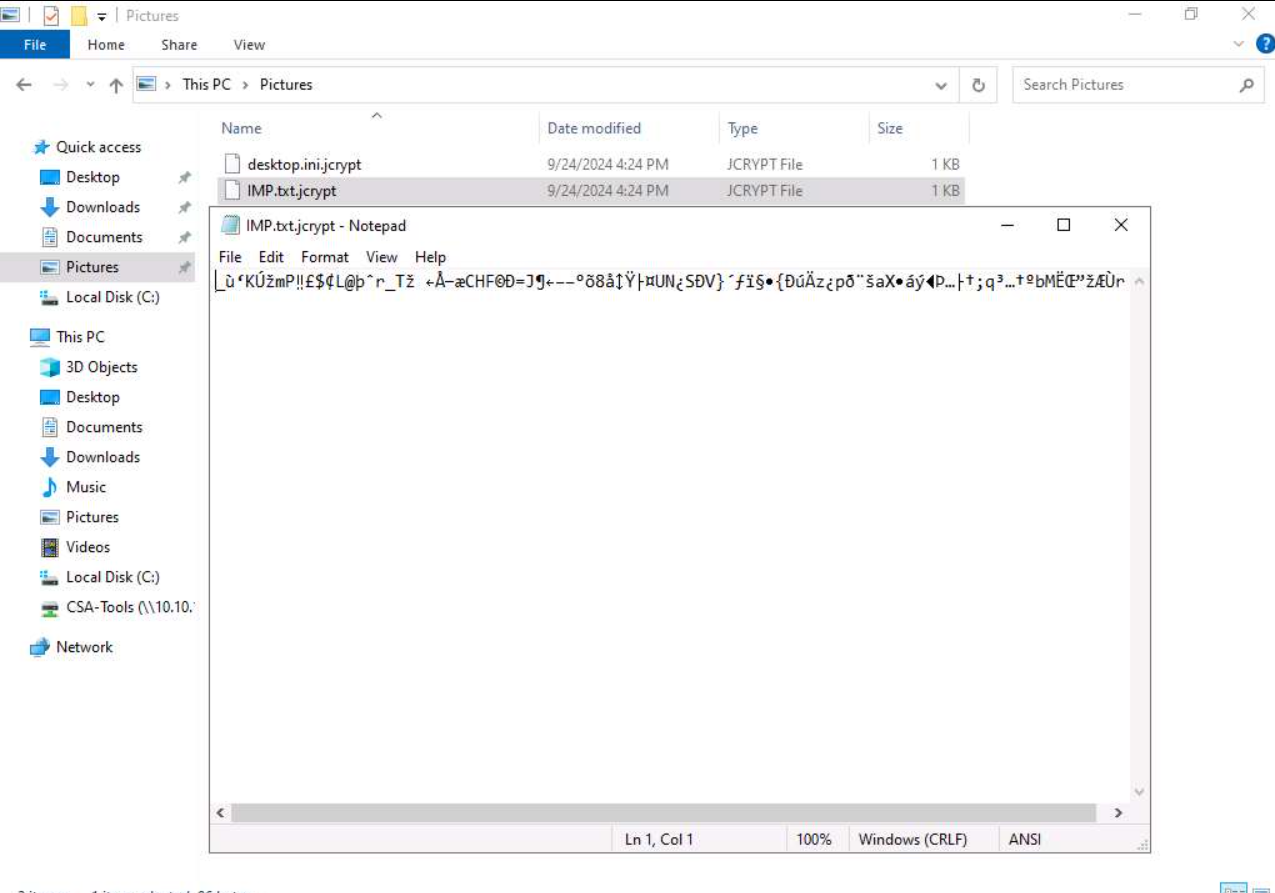
Attempting to open the encrypted file resulted in unreadable content, confirming successful encryption by the simulated ransomware.
Encrypted File
Encrypted File Contents
Opening the encrypted file in Notepad shows unreadable encrypted data rather than the original text.
This behavior confirms successful ransomware encryption.
Step 4 – Verify Alert Generation
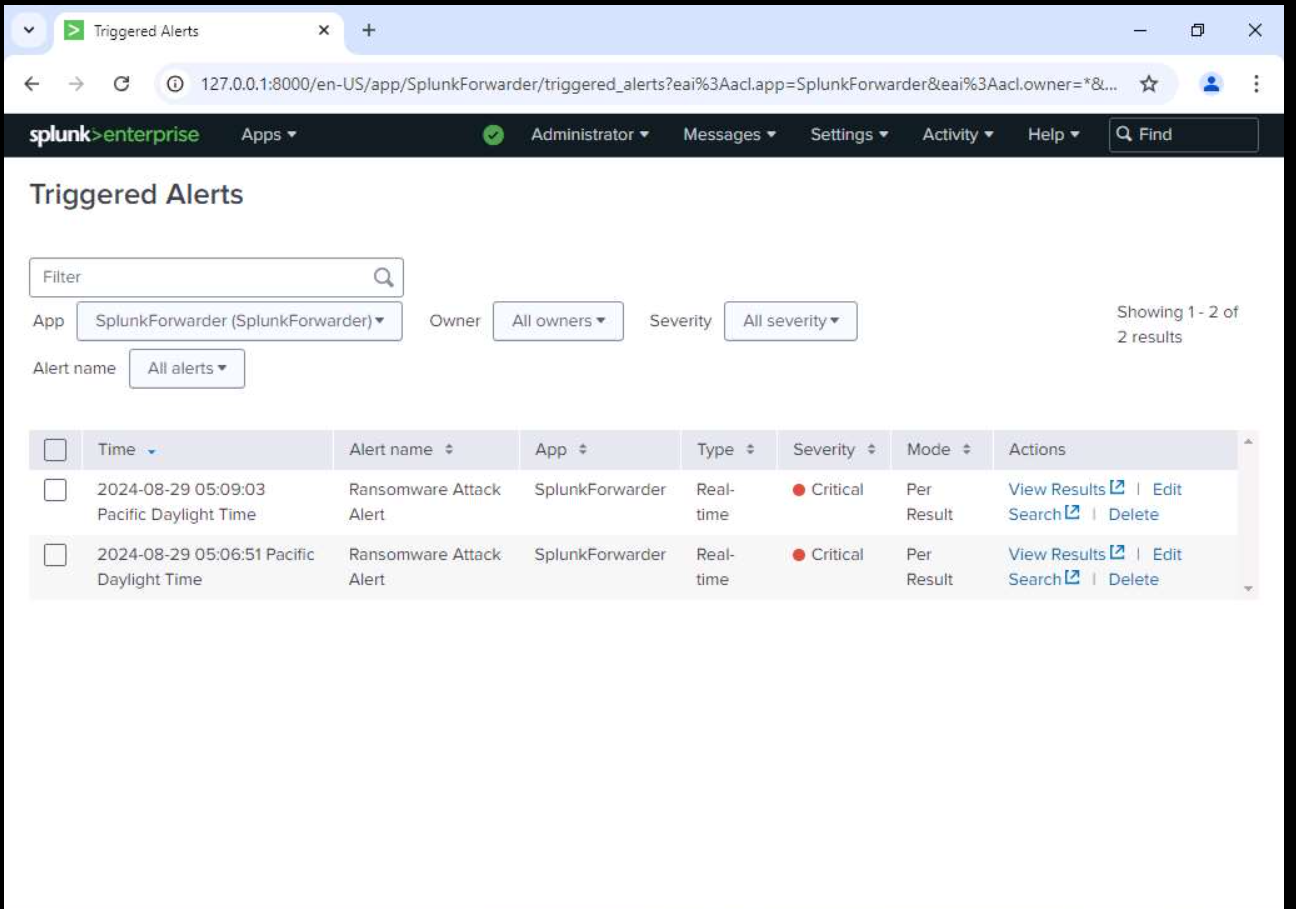
After the ransomware activity occurred, Splunk successfully detected the suspicious Windows Security events.
The configured Real-Time Alert immediately appeared inside the Triggered Alerts dashboard.
The generated alert included:
- Alert Name
- Severity
- Trigger Mode
- Detection Time
This confirms that the detection use case is functioning correctly.
Detection Workflow
Ransomware Execution
        │
        ▼
Windows Security Events Generated
        │
        ▼
Splunk Collects Logs
        │
        ▼
SPL Detection Query Executes
        │
        ▼
Matching Events Found
        │
        ▼
Real-Time Alert Generated
        │
        ▼
SOC Analyst Investigation
Skills Demonstrated
- Splunk Enterprise
- SIEM Detection Engineering
- Windows Security Event Log Analysis
- Search Processing Language (SPL)
- Threat Detection
- Real-Time Alert Configuration
- Security Monitoring
- SOC Operations
- Incident Detection & Alert Triaging
Key Learning
This lab provided practical experience in building a Splunk detection use case for ransomware attacks. By leveraging Windows Security Event Logs and custom SPL queries, ransomware-related behavior was successfully detected and converted into a real-time alert. The exercise demonstrated how SIEM solutions enable SOC analysts to rapidly identify suspicious activity, validate security incidents, and improve organizational readiness against ransomware threats.