DownUnderCTF 2025 Write-up
🧩 Challenge Description
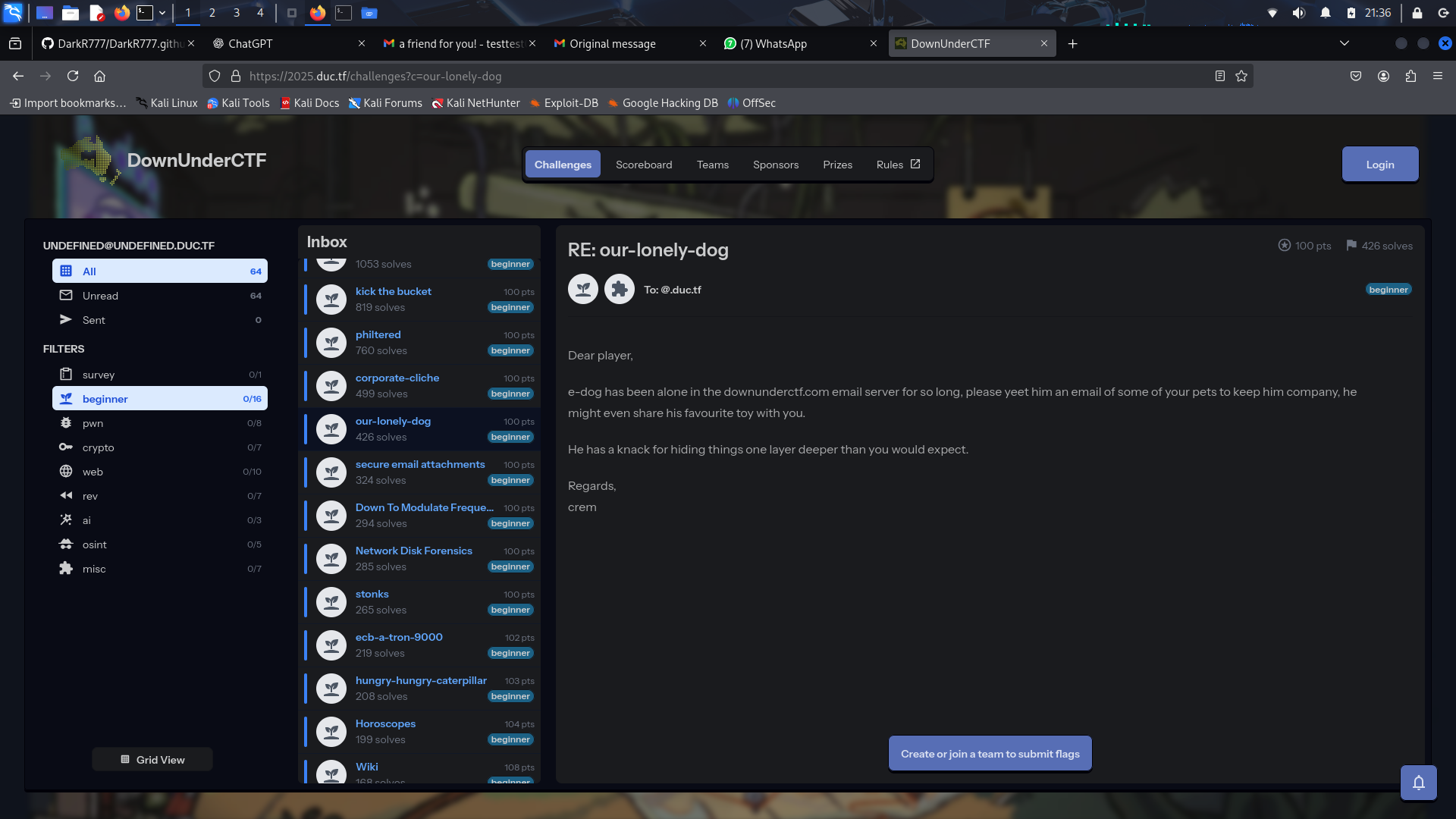
e-dog has been alone in the downunderctf.com email server for so long. Please yeet him an email of one of your pets to keep him company. He might even share his favourite toy with you.
He has a knack for hiding things one layer deeper than you would expect.
🪜 Step-by-Step Solution
📤 Step 1: Sending a Pet Image to e-dog
When we accessed the challenge link, it allowed us to submit a file via email to e-dog.
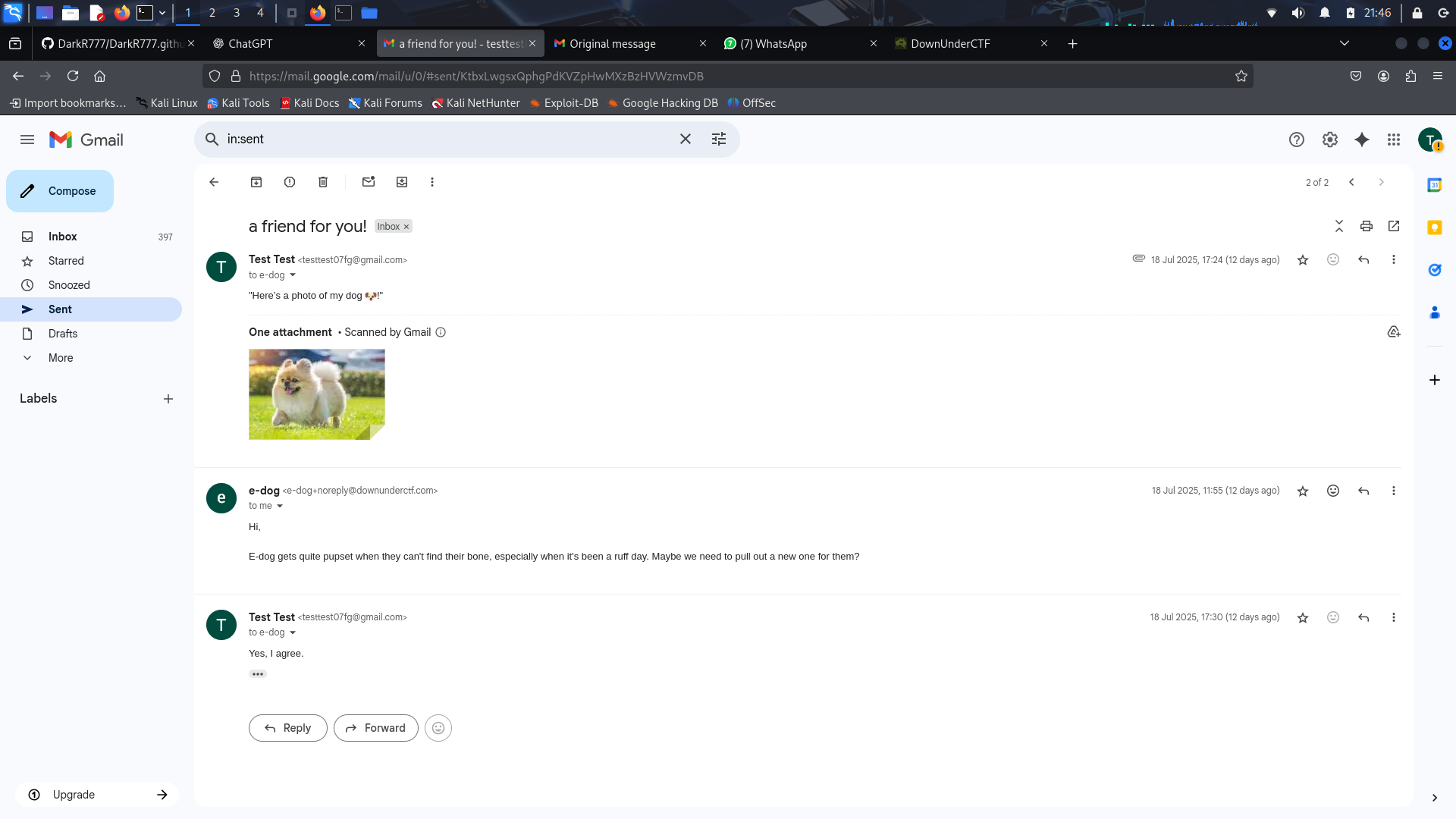
We submitted a dog image (dog.jpeg) as our pet companion.
📥 Step 2: Getting the Reply
After submission, we received the following email from e-dog:
Hi, E-dog gets quite pupset when they can't find their bone, especially when it's been a ruff day. Maybe we need to pull out a new one for them?
📄 Step 3: View the Original Message
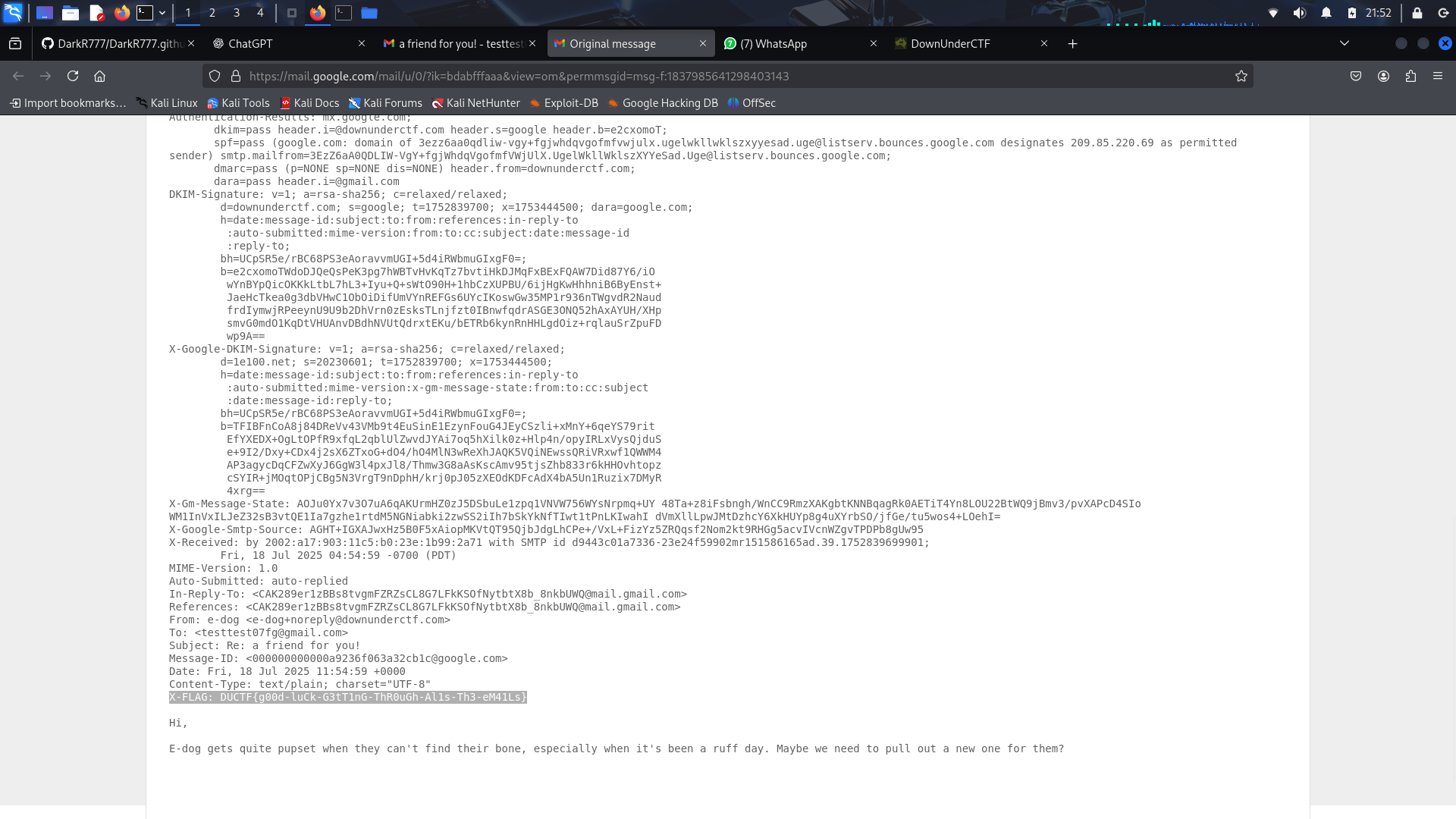
After receiving the reply, click the three dots in the email interface and choose Show original. This displays the raw email source.
🚩 Step 4: Find the Flag
The raw email contained the hidden flag.
DUCTF{g00d-luCk-G3tT1nG-ThR0uGh-Al1s-Th3-eM41Ls}
✅ Key Takeaways
- Email source analysis
- Inspecting raw email headers and content
- Looking beyond the visible message
- Information hiding techniques
Conclusion
This challenge demonstrated the importance of examining the raw content of emails rather than relying only on what is displayed in the email client. Hidden information is sometimes embedded one layer deeper, making careful inspection an essential skill during CTFs and real-world investigations.
Thanks for reading, and see you in the next write-up!
— DarkR7